Build-it
How to Test an MCP Server
Test an MCP server two ways: fast in-memory tests with Node's built-in test runner, and manual or CI checks with the MCP Inspector CLI. Full runnable code.
Mark
Head of Marketing, MCPOrbit
- Published
- Updated
- · Updated
- Read time
- · 8 min read

The fastest way to test a Model Context Protocol (MCP) server is to connect a client to it in memory and call its tools. Node's built-in test runner asserts the results in milliseconds, with no child process and no network. For manual checks and continuous integration, the MCP Inspector CLI drives the same server from the command line.
This post builds a small MCP server, then tests it two ways. First with node --test and an in-memory transport, the loop you run on every save. Then with the Inspector CLI, the one command you drop into CI. Every file below is complete and runs as written. Versions are pinned to Node 25, the MCP TypeScript SDK 1.30.0, zod 4.4.3, and MCP Inspector 2.0.0.
The server we will test
Start a project with two dependencies: the MCP SDK and zod. The type: module line lets us use import, and the bin entry makes the server runnable as a command.
{
  "name": "weather-mcp",
  "version": "1.0.0",
  "type": "module",
  "bin": { "weather-mcp": "./server.js" },
  "scripts": {
    "start": "node server.js",
    "test": "node --test"
  },
  "dependencies": {
    "@modelcontextprotocol/sdk": "1.30.0",
    "zod": "4.4.3"
  }
}
Run npm install, then add the server. The one rule that makes a server testable is to build it in a factory function. Tests and production then share the exact same code. Our server exposes one tool, get_forecast, that looks up a city in a small table. That is enough to show a success, a handled error, and a schema violation.
import { McpServer } from "@modelcontextprotocol/sdk/server/mcp.js"
import { z } from "zod"

// A tiny in-memory "forecast" so the tool is deterministic and testable.
const FORECASTS = {
  london: { tempC: 14, sky: "rain" },
  denver: { tempC: 22, sky: "clear" },
  tokyo: { tempC: 19, sky: "clouds" },
}

// Build and return a configured MCP server. The same factory is used by the
// stdio entrypoint (server.js) and by the test suite (server.test.js), so the
// tests exercise the exact server your users run.
export function createServer() {
  const server = new McpServer({ name: "weather-mcp", version: "1.0.0" })

  server.registerTool(
    "get_forecast",
    {
      title: "Get forecast",
      description: "Return today's forecast for a supported city.",
      inputSchema: { city: z.string().min(1) },
    },
    async ({ city }) => {
      const key = city.trim().toLowerCase()
      const forecast = FORECASTS[key]
      if (!forecast) {
        return {
          isError: true,
          content: [{ type: "text", text: `No forecast for "${city}".` }],
        }
      }
      return {
        content: [
          {
            type: "text",
            text: `${key}: ${forecast.tempC}C, ${forecast.sky}`,
          },
        ],
      }
    },
  )

  return server
}
The stdio entry point is a few lines. It is what the Inspector CLI and desktop clients spawn.
#!/usr/bin/env node
import { StdioServerTransport } from "@modelcontextprotocol/sdk/server/stdio.js"
import { createServer } from "./mcp-server.js"

const server = createServer()
const transport = new StdioServerTransport()
await server.connect(transport)
Fast tests with Node's built-in test runner
The key is InMemoryTransport.createLinkedPair(). It returns two linked transports. Give one to the server and one to the client, and they talk directly. No stdio, no HTTP, no flaky timing. Each test builds a fresh server, so tests never share state.
import assert from "node:assert/strict"
import { test } from "node:test"
import { Client } from "@modelcontextprotocol/sdk/client/index.js"
import { InMemoryTransport } from "@modelcontextprotocol/sdk/inMemory.js"
import { createServer } from "./mcp-server.js"

// Wire a client to a fresh server over an in-memory transport pair. No child
// process, no network: the client talks to the real server object directly.
async function connect() {
  const server = createServer()
  const client = new Client({ name: "test-client", version: "1.0.0" })
  const [clientTransport, serverTransport] =
    InMemoryTransport.createLinkedPair()
  await Promise.all([
    server.connect(serverTransport),
    client.connect(clientTransport),
  ])
  return { client, server }
}

test("lists the get_forecast tool", async () => {
  const { client } = await connect()
  const { tools } = await client.listTools()
  assert.deepEqual(
    tools.map((t) => t.name),
    ["get_forecast"],
  )
})

test("returns a forecast for a known city", async () => {
  const { client } = await connect()
  const result = await client.callTool({
    name: "get_forecast",
    arguments: { city: "London" },
  })
  assert.equal(result.isError, undefined)
  assert.equal(result.content[0].text, "london: 14C, rain")
})

test("flags an unknown city as a tool error", async () => {
  const { client } = await connect()
  const result = await client.callTool({
    name: "get_forecast",
    arguments: { city: "atlantis" },
  })
  assert.equal(result.isError, true)
  assert.match(result.content[0].text, /No forecast/)
})

test("validates arguments against the tool input schema", async () => {
  const { client } = await connect()
  const result = await client.callTool({
    name: "get_forecast",
    arguments: { city: "" },
  })
  // The SDK checks arguments against your zod schema before your handler runs
  // and returns a tool error, so you never see malformed input in the handler.
  assert.equal(result.isError, true)
  assert.match(result.content[0].text, /validation error/)
})
Run the suite with node --test. The runner finds every *.test.js file on its own, with no config.
$ node --test
✔ lists the get_forecast tool
✔ returns a forecast for a known city
✔ flags an unknown city as a tool error
✔ validates arguments against the tool input schema
ℹ tests 4
ℹ pass 4
ℹ fail 0Manual and CI checks with the MCP Inspector CLI
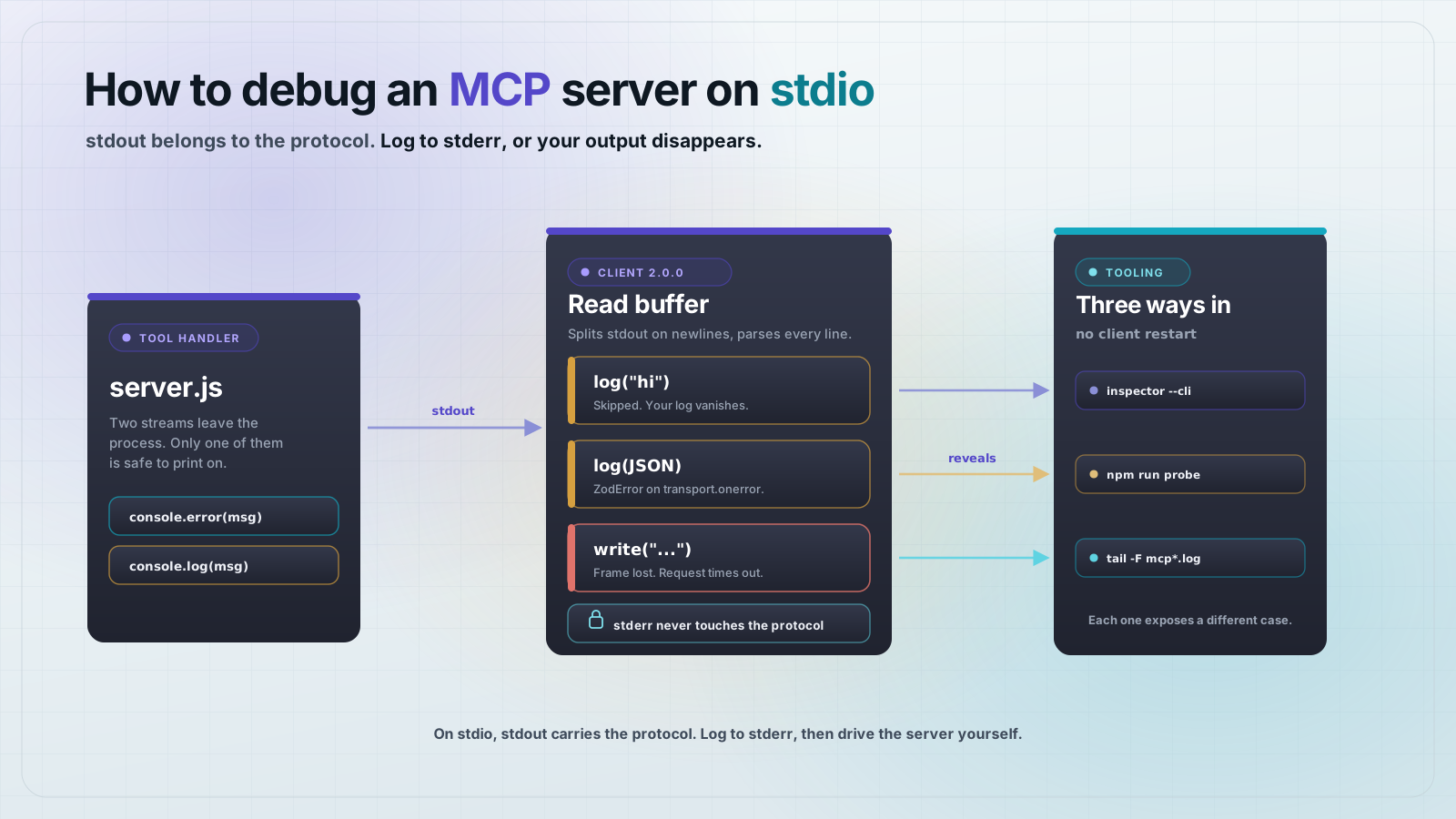
The MCP Inspector has a command-line mode. It spawns your server, sends one request, prints the JSON result, and exits. That makes it good for a quick look while you build, and for a smoke test in CI. No test file needed.
List the tools your server exposes:
$ npx @modelcontextprotocol/inspector@2.0.0 --cli node server.js \
  --method tools/list
{
  "tools": [
    {
      "name": "get_forecast",
      "title": "Get forecast",
      "description": "Return today's forecast for a supported city.",
      "inputSchema": {
        "type": "object",
        "properties": {
          "city": { "type": "string", "minLength": 1 }
        },
        "required": ["city"],
        "$schema": "http://json-schema.org/draft-07/schema#"
      }
    }
  ]
}
Call a tool with typed arguments. Each --tool-arg is a name=value pair:
$ npx @modelcontextprotocol/inspector@2.0.0 --cli node server.js \
  --method tools/call --tool-name get_forecast --tool-arg city=London
{
  "content": [
    { "type": "text", "text": "london: 14C, rain" }
  ]
}
When a tool returns isError: true, the CLI prints the error content and exits non-zero:
$ npx @modelcontextprotocol/inspector@2.0.0 --cli node server.js \
  --method tools/call --tool-name get_forecast --tool-arg city=atlantis
{
  "content": [
    { "type": "text", "text": "No forecast for \"atlantis\"." }
  ],
  "isError": true
}
{"error":{"code":"tool_is_error","message":"Tool 'get_forecast' returned isError:true."}}
$ echo $?
1
That non-zero exit is what makes the Inspector useful in CI. Put the command in a job step and a broken tool fails the pipeline, the same as a failed unit test.
A short testing checklist
- Discovery:
tools/listreturns every tool with the names and schemas you expect. - Happy path: each tool returns the right content for valid input.
- Handled errors: known failure cases return
isError: truewith a clear message, not a crash. - Schema validation: bad arguments are rejected before your handler runs.
- Resources and prompts: if your server exposes them, list and read each one the same way.
Frequently asked questions
- How do I test an MCP server without a browser?
- Connect a
Clientfrom the MCP SDK to your server overInMemoryTransport.createLinkedPair(), then calllistTools()andcallTool(). It runs in a plain Node test file with no browser and no network. - Do I need a special test framework for MCP?
- No. Node 18 and later ship a built-in test runner. Run
node --testand it executes every*.test.jsfile. The MCP SDK client is the only extra import, and a build-it server already depends on it. - What is the MCP Inspector CLI for?
- It calls your server from the command line:
--method tools/listlists tools and--method tools/callruns one. It is meant for quick manual checks and CI smoke tests, not for writing assertions. - How do I test that a tool rejects bad input?
- Call the tool with invalid arguments. The SDK validates them against your zod input schema and returns a result with
isError: trueand anInput validation errormessage, so you assert on that result. - Can the MCP Inspector fail a CI build?
- Yes. When a tool returns
isError: true, the Inspector CLI exits with a non-zero code. Run it as a CI step and a broken tool fails the job. - Should I test over stdio or in memory?
- Use in-memory transport for unit and integration tests: it is faster and has no process startup or flaky timing. Use a real transport, through the Inspector CLI or a stdio client, for end-to-end smoke tests that also exercise your entry point.
About the author
Mark
Head of Marketing, MCPOrbit
Mark leads marketing at MCPOrbit, the free desktop client for the Model Context Protocol. He writes the build-it and reliability guides, and the code in them is run before it ships.