Engineering
How to build an MCP server that lets Claude query your Postgres database
A complete, runnable walkthrough: build a read-only MCP server that lets Claude answer questions about your Postgres data, with every file inline and versions pinned.
MCPOrbit Team
Engineering, MCPOrbit
- Published
- Updated
- · Updated
- Read time
- · 8 min read
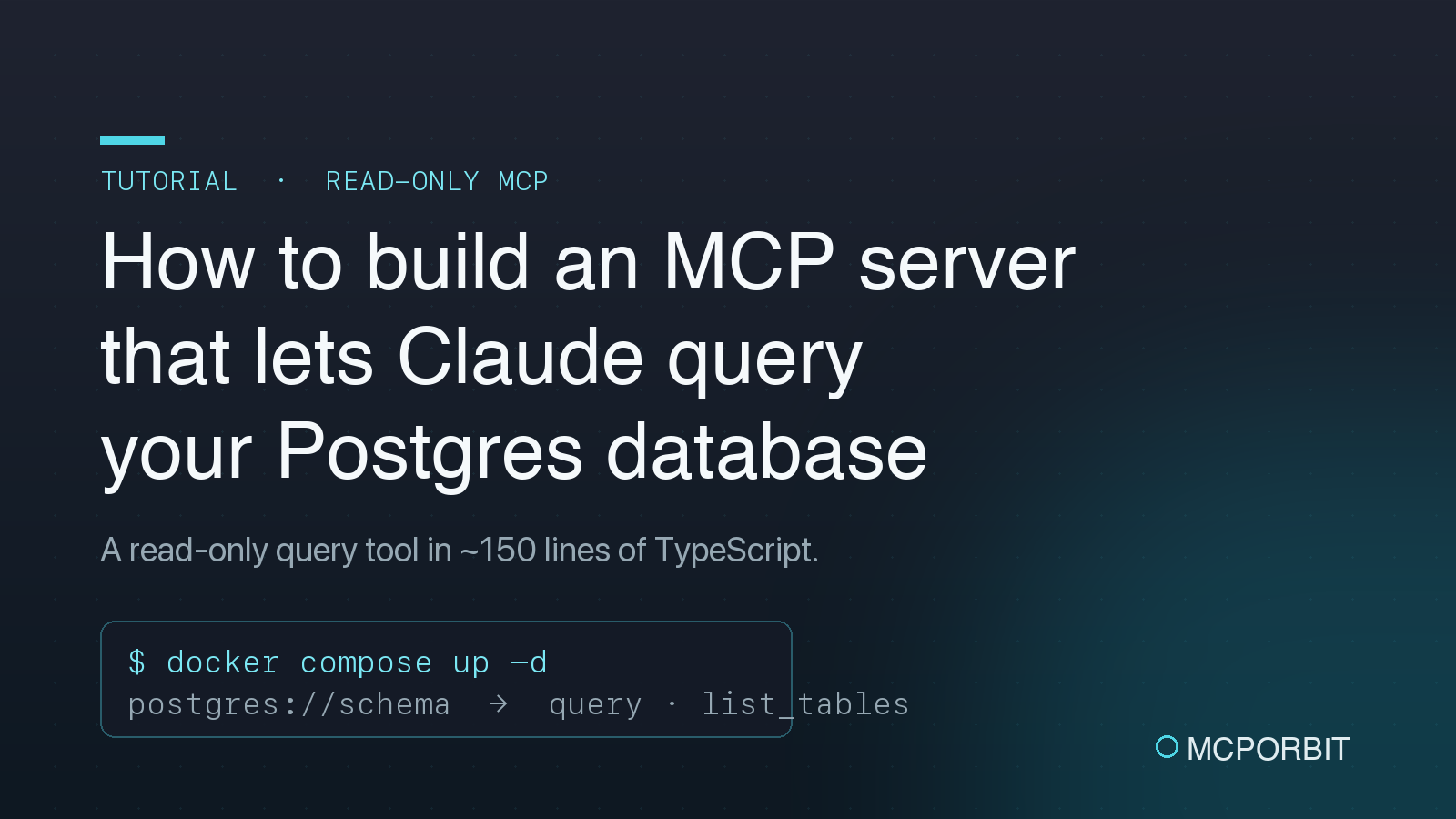
To let Claude query your Postgres database, you build a small MCP server that connects to Postgres with the pg driver and exposes a read-only query tool (plus list_tables and describe_table helpers), then register it in Claude Desktop. The whole thing is about 150 lines of TypeScript. This is a complete, runnable walkthrough with every file inline. Copy them into a new project, pin the versions listed, and you can have Claude answering questions about real data in roughly 15 minutes.
What is an MCP server, and why use one for a database?
The Model Context Protocol (MCP) is an open standard that lets an AI client like Claude Desktop talk to external systems through a uniform interface of tools (functions the model can call) and resources (read-only context the model can attach). An MCP server for Postgres turns "which customers spent the most last month?" into a real SQL query against your database, run on your machine, with the result handed back to the model. No copy-pasting schemas or exporting CSVs. Because MCP is a standard, the same server works in any MCP-capable client, not just Claude.
The catch is obvious: you are pointing a language model at a database. The design in this tutorial is read-only by construction, using a least-privilege database role, a READ ONLY transaction, an app-layer SQL guard, a statement timeout, and a row cap, so the worst a bad query can do is time out.
What you need before you start
- Node.js 20 or newer.
- Docker (for the one-command seeded Postgres), or any Postgres you can reach with a connection string.
- Claude Desktop, to connect the finished server to.
- Pinned versions used here: @modelcontextprotocol/sdk@1.29.0, pg@8.22.0, zod@3.25.76, postgres:16.4, TypeScript 5.9.
Step 1: Stand up a Postgres database with seed data
A docker-compose.yml boots postgres:16.4 and, on first start, runs any SQL files in ./db in filename order. Save this as docker-compose.yml:
# One command to get a seeded Postgres for the tutorial:
#   docker compose up -d
# The database is created as `shop`, owned by `postgres`, with a read-only
# `mcp_readonly` role that the MCP server uses. The ./db/*.sql files run once,
# on first boot, in filename order.
services:
  postgres:
    image: postgres:16.4
    container_name: mcp-postgres
    environment:
      POSTGRES_USER: postgres
      POSTGRES_PASSWORD: postgres
      POSTGRES_DB: shop
    ports:
      - "5432:5432"
    volumes:
      - ./db:/docker-entrypoint-initdb.d:ro
      - mcp_pgdata:/var/lib/postgresql/data
    healthcheck:
      test: ["CMD-SHELL", "pg_isready -U postgres -d shop"]
      interval: 3s
      timeout: 3s
      retries: 10

volumes:
  mcp_pgdata:
The first init file, db/001_init.sql, creates a small e-commerce schema (customers, products, orders, order_items) plus a dedicated mcp_readonly login role that only has SELECT:
-- Schema + a dedicated read-only role for the MCP server.
-- Runs automatically the first time the Postgres container starts.

-- 1. A least-privilege role. The MCP server connects as this user, so even a
--    bug in the guard logic cannot write to your data.
CREATE ROLE mcp_readonly WITH LOGIN PASSWORD 'mcp_readonly';

-- 2. Tables for a tiny e-commerce shop.
CREATE TABLE customers (
    id          serial PRIMARY KEY,
    name        text        NOT NULL,
    email       text        NOT NULL UNIQUE,
    country     text        NOT NULL,
    created_at  timestamptz NOT NULL DEFAULT now()
);

CREATE TABLE products (
    id          serial PRIMARY KEY,
    sku         text        NOT NULL UNIQUE,
    name        text        NOT NULL,
    category    text        NOT NULL,
    price_cents integer     NOT NULL CHECK (price_cents >= 0)
);

CREATE TABLE orders (
    id          serial PRIMARY KEY,
    customer_id integer     NOT NULL REFERENCES customers (id),
    status      text        NOT NULL DEFAULT 'paid',
    created_at  timestamptz NOT NULL DEFAULT now()
);

CREATE TABLE order_items (
    id         serial PRIMARY KEY,
    order_id   integer NOT NULL REFERENCES orders (id),
    product_id integer NOT NULL REFERENCES products (id),
    quantity   integer NOT NULL CHECK (quantity > 0),
    UNIQUE (order_id, product_id)
);

-- 3. Grant read-only access to the mcp_readonly role.
GRANT CONNECT ON DATABASE shop TO mcp_readonly;
GRANT USAGE ON SCHEMA public TO mcp_readonly;
GRANT SELECT ON ALL TABLES IN SCHEMA public TO mcp_readonly;
ALTER DEFAULT PRIVILEGES IN SCHEMA public GRANT SELECT ON TABLES TO mcp_readonly;
The second, db/002_seed.sql, inserts a handful of rows so the model has something real to query:
-- Seed data: a handful of customers, products and orders so the model has
-- something real to query. Small on purpose: easy to reason about in a demo.

INSERT INTO customers (name, email, country) VALUES
    ('Ada Lovelace',      'ada@example.com',      'GB'),
    ('Grace Hopper',      'grace@example.com',    'US'),
    ('Alan Turing',       'alan@example.com',     'GB'),
    ('Katherine Johnson', 'katherine@example.com','US'),
    ('Linus Torvalds',    'linus@example.com',    'FI');

INSERT INTO products (sku, name, category, price_cents) VALUES
    ('KEY-001', 'Mechanical Keyboard', 'peripherals', 12900),
    ('MOU-001', 'Wireless Mouse',      'peripherals',  4900),
    ('MON-001', '27" 4K Monitor',      'displays',     39900),
    ('DSK-001', 'Standing Desk',       'furniture',    59900),
    ('CHR-001', 'Ergonomic Chair',     'furniture',    44900),
    ('CAB-001', 'USB-C Cable',         'accessories',   1900);

INSERT INTO orders (customer_id, status, created_at) VALUES
    (1, 'paid',     now() - interval '10 days'),
    (2, 'paid',     now() - interval '7 days'),
    (2, 'refunded', now() - interval '6 days'),
    (3, 'paid',     now() - interval '3 days'),
    (4, 'paid',     now() - interval '1 day'),
    (5, 'pending',  now());

INSERT INTO order_items (order_id, product_id, quantity) VALUES
    (1, 1, 1),
    (1, 6, 2),
    (2, 3, 2),
    (2, 2, 1),
    (3, 5, 1),
    (4, 4, 1),
    (4, 1, 1),
    (5, 3, 1),
    (5, 6, 3),
    (6, 2, 1);
One command brings it all up:
docker compose up -dThe read-only role is the single most important safety decision. Even if every other guardrail failed, mcp_readonly physically cannot write to your data because Postgres never granted it the privilege. The MCP server connects as this role, not as a superuser.
Step 2: Connect to Postgres and enforce read-only queries
src/db.ts holds a single shared pg connection pool and one query helper, runReadOnlyQuery. Before any SQL touches the database it passes through assertReadOnly, which strips comments, rejects anything that is not a single SELECT or WITH statement, refuses stacked statements (a stray ;), and blocks write keywords like insert, update, and drop on word boundaries so a column named created_at doesn't trip the create rule.
The query itself runs inside BEGIN READ ONLY with SET LOCAL statement_timeout = 5000, and it is wrapped in a subquery with LIMIT 201 so the server can return at most 200 rows and tell the model when the result was truncated. Three independent layers, namely role, transaction, and app guard, mean no single mistake is catastrophic. Here is src/db.ts in full:
import pg from "pg";

const { Pool } = pg;

/**
 * A single shared connection pool. The MCP server is a long-lived process, so
 * we create the pool once and reuse it across tool calls.
 */
let pool: pg.Pool | null = null;

export function getPool(): pg.Pool {
  if (pool) return pool;

  const connectionString = process.env.DATABASE_URL;
  if (!connectionString) {
    throw new Error(
      "DATABASE_URL is not set. Point it at your Postgres instance, e.g. " +
        "postgres://mcp_readonly:mcp_readonly@localhost:5432/shop",
    );
  }

  pool = new Pool({
    connectionString,
    // Keep the footprint small; an MCP server is not a web app under load.
    max: 4,
    idleTimeoutMillis: 30_000,
    connectionTimeoutMillis: 10_000,
  });

  return pool;
}

/** Max rows we will ever return to the model in a single call. */
export const MAX_ROWS = 200;
/** Server-side statement timeout, in milliseconds. */
export const STATEMENT_TIMEOUT_MS = 5_000;

const WRITE_KEYWORDS = [
  "insert",
  "update",
  "delete",
  "drop",
  "alter",
  "create",
  "truncate",
  "grant",
  "revoke",
  "comment",
  "copy",
  "call",
  "do",
  "vacuum",
  "reindex",
  "refresh",
];

/**
 * Reject anything that is not a single read-only statement. This is defence in
 * depth: the database role is also read-only and every query runs inside a
 * `READ ONLY` transaction, so a write cannot succeed even if this check is
 * bypassed. We still refuse early to give the model a clear error.
 */
export function assertReadOnly(sql: string): void {
  const stripped = sql
    // remove -- line comments
    .replace(/--[^\n]*/g, " ")
    // remove /* */ block comments
    .replace(/\/\*[\s\S]*?\*\//g, " ")
    .trim();

  if (!stripped) {
    throw new Error("Empty query.");
  }

  // Disallow multiple statements: a semicolon is only allowed as the last char.
  const withoutTrailingSemi = stripped.replace(/;\s*$/, "");
  if (withoutTrailingSemi.includes(";")) {
    throw new Error("Only a single statement is allowed (no ';' separators).");
  }

  const firstWord = withoutTrailingSemi.split(/\s+/)[0]?.toLowerCase() ?? "";
  if (firstWord !== "select" && firstWord !== "with") {
    throw new Error(
      `Only SELECT / WITH queries are allowed. Got a statement starting with "${firstWord}".`,
    );
  }

  const lowered = withoutTrailingSemi.toLowerCase();
  for (const kw of WRITE_KEYWORDS) {
    // \b word boundary so "created_at" does not trip the "create" rule.
    if (new RegExp(`\\b${kw}\\b`).test(lowered)) {
      throw new Error(`Query contains a disallowed keyword: "${kw}".`);
    }
  }
}

export interface QueryResult {
  rows: Record<string, unknown>[];
  rowCount: number;
  fields: string[];
  truncated: boolean;
}

/**
 * Run a read-only SELECT and return at most MAX_ROWS rows. Parameterised values
 * are passed separately so the model never has to build SQL strings by hand.
 */
export async function runReadOnlyQuery(
  sql: string,
  params: unknown[] = [],
): Promise<QueryResult> {
  assertReadOnly(sql);

  const client = await getPool().connect();
  try {
    await client.query("BEGIN READ ONLY");
    await client.query(`SET LOCAL statement_timeout = ${STATEMENT_TIMEOUT_MS}`);

    // Fetch one extra row so we can tell the model when results were truncated.
    const wrapped = `SELECT * FROM (${sql.replace(/;\s*$/, "")}) AS mcp_sub LIMIT ${MAX_ROWS + 1}`;
    const result = await client.query(wrapped, params);
    await client.query("COMMIT");

    const truncated = result.rows.length > MAX_ROWS;
    const rows = truncated ? result.rows.slice(0, MAX_ROWS) : result.rows;
    return {
      rows,
      rowCount: rows.length,
      fields: result.fields.map((f) => f.name),
      truncated,
    };
  } catch (err) {
    await client.query("ROLLBACK").catch(() => {});
    throw err;
  } finally {
    client.release();
  }
}

export interface TableInfo {
  schema: string;
  name: string;
}

export async function listTables(): Promise<TableInfo[]> {
  const { rows } = await runReadOnlyQuery(
    `SELECT table_schema AS schema, table_name AS name
       FROM information_schema.tables
      WHERE table_type = 'BASE TABLE'
        AND table_schema NOT IN ('pg_catalog', 'information_schema')
      ORDER BY table_schema, table_name`,
  );
  return rows as unknown as TableInfo[];
}

export interface ColumnInfo {
  column: string;
  type: string;
  nullable: boolean;
  default: string | null;
}

export async function describeTable(
  table: string,
  schema = "public",
): Promise<ColumnInfo[]> {
  const { rows } = await runReadOnlyQuery(
    `SELECT column_name AS column,
            data_type AS type,
            (is_nullable = 'YES') AS nullable,
            column_default AS default
       FROM information_schema.columns
      WHERE table_schema = $1 AND table_name = $2
      ORDER BY ordinal_position`,
    [schema, table],
  );
  return rows as unknown as ColumnInfo[];
}

export async function closePool(): Promise<void> {
  if (pool) {
    await pool.end();
    pool = null;
  }
}Step 3: Expose query tools and schema resources over MCP
src/index.ts creates an McpServer from @modelcontextprotocol/sdk and registers three tools: query (run one read-only statement, described so the model knows to inspect the schema first), list_tables (every base table outside system schemas), and describe_table (columns, types, nullability, defaults for one table). Tool inputs are declared as a small Zod schema, so the SDK validates arguments and advertises them to the client automatically.
It also registers two resources: a static postgres://schema that returns the table list, and a templated postgres://table/{name} that returns one table's columns. Resources let a user attach schema context to a conversation without spending a tool call. The server speaks MCP over stdio (StdioServerTransport), which is exactly what Claude Desktop launches, so remember to log to stderr, never stdout, because stdout is the protocol channel.
Here is src/index.ts in full:
#!/usr/bin/env node
import { McpServer, ResourceTemplate } from "@modelcontextprotocol/sdk/server/mcp.js";
import { StdioServerTransport } from "@modelcontextprotocol/sdk/server/stdio.js";
import { z } from "zod";
import {
  closePool,
  describeTable,
  listTables,
  MAX_ROWS,
  runReadOnlyQuery,
} from "./db.js";

const server = new McpServer({
  name: "mcp-postgres-server",
  version: "1.0.0",
});

function textResult(payload: unknown) {
  return {
    content: [
      {
        type: "text" as const,
        text:
          typeof payload === "string"
            ? payload
            : JSON.stringify(payload, null, 2),
      },
    ],
  };
}

function errorResult(err: unknown) {
  const message = err instanceof Error ? err.message : String(err);
  return {
    isError: true,
    content: [{ type: "text" as const, text: `Error: ${message}` }],
  };
}

// --- Tools ------------------------------------------------------------------

server.registerTool(
  "query",
  {
    title: "Run a read-only SQL query",
    description:
      "Run a single read-only SQL query (SELECT / WITH only) against the connected " +
      `Postgres database. Returns up to ${MAX_ROWS} rows as JSON. Writes and multi-statement ` +
      "queries are rejected. Use the `list_tables` and `describe_table` tools first if you " +
      "do not know the schema.",
    inputSchema: {
      sql: z
        .string()
        .describe("A single SELECT or WITH statement. No semicolons except a trailing one."),
    },
  },
  async ({ sql }) => {
    try {
      const result = await runReadOnlyQuery(sql);
      return textResult({
        rowCount: result.rowCount,
        truncated: result.truncated,
        columns: result.fields,
        rows: result.rows,
        note: result.truncated
          ? `Result truncated to the first ${MAX_ROWS} rows. Add a LIMIT or a WHERE clause to narrow it down.`
          : undefined,
      });
    } catch (err) {
      return errorResult(err);
    }
  },
);

server.registerTool(
  "list_tables",
  {
    title: "List tables",
    description:
      "List every base table in the database (excluding system schemas) so you know what you can query.",
    inputSchema: {},
  },
  async () => {
    try {
      return textResult(await listTables());
    } catch (err) {
      return errorResult(err);
    }
  },
);

server.registerTool(
  "describe_table",
  {
    title: "Describe a table",
    description:
      "Return the columns, types, nullability and defaults for a single table. " +
      "Defaults to the `public` schema.",
    inputSchema: {
      table: z.string().describe("The table name, e.g. `orders`."),
      schema: z
        .string()
        .optional()
        .describe("The schema name. Defaults to `public`."),
    },
  },
  async ({ table, schema }) => {
    try {
      const columns = await describeTable(table, schema ?? "public");
      if (columns.length === 0) {
        return errorResult(
          `No table named "${schema ?? "public"}.${table}" was found. Call list_tables to see options.`,
        );
      }
      return textResult(columns);
    } catch (err) {
      return errorResult(err);
    }
  },
);

// --- Resources --------------------------------------------------------------

// A single overview resource the client can attach as context.
server.registerResource(
  "schema-overview",
  "postgres://schema",
  {
    title: "Database schema overview",
    description: "The list of tables available in the connected database.",
    mimeType: "application/json",
  },
  async (uri) => {
    const tables = await listTables();
    return {
      contents: [
        {
          uri: uri.href,
          mimeType: "application/json",
          text: JSON.stringify(tables, null, 2),
        },
      ],
    };
  },
);

// One resource per table: postgres://table/<name>
server.registerResource(
  "table-columns",
  new ResourceTemplate("postgres://table/{name}", { list: undefined }),
  {
    title: "Table columns",
    description: "The column definitions for a specific table.",
    mimeType: "application/json",
  },
  async (uri, { name }) => {
    const table = Array.isArray(name) ? name[0] : name;
    const columns = await describeTable(table);
    return {
      contents: [
        {
          uri: uri.href,
          mimeType: "application/json",
          text: JSON.stringify({ table, columns }, null, 2),
        },
      ],
    };
  },
);

// --- Boot -------------------------------------------------------------------

async function main() {
  const transport = new StdioServerTransport();
  await server.connect(transport);
  // The server now speaks MCP over stdio. Do not write to stdout elsewhere;
  // it is the transport channel. Logs go to stderr.
  console.error("mcp-postgres-server running on stdio");
}

async function shutdown() {
  await closePool().catch(() => {});
  process.exit(0);
}

process.on("SIGINT", shutdown);
process.on("SIGTERM", shutdown);

main().catch((err) => {
  console.error("Fatal:", err);
  process.exit(1);
});
Step 4: Build it and connect it to Claude Desktop
With the three source files in place, add a package.json with the pinned dependencies and a tsconfig.json set up for the ESM / NodeNext build:
{
  "name": "mcp-postgres-server",
  "version": "1.0.0",
  "private": true,
  "description": "A minimal, read-only MCP server that lets Claude query a Postgres database.",
  "type": "module",
  "bin": {
    "mcp-postgres-server": "dist/index.js"
  },
  "files": [
    "dist"
  ],
  "engines": {
    "node": ">=20"
  },
  "scripts": {
    "build": "tsc",
    "start": "node dist/index.js",
    "dev": "tsx src/index.ts",
    "db:up": "docker compose up -d",
    "db:down": "docker compose down -v",
    "db:logs": "docker compose logs -f postgres",
    "test": "tsx --test src/*.test.ts",
    "prepare": "npm run build"
  },
  "dependencies": {
    "@modelcontextprotocol/sdk": "1.29.0",
    "pg": "8.22.0",
    "zod": "3.25.76"
  },
  "devDependencies": {
    "@types/node": "22.20.1",
    "@types/pg": "8.20.0",
    "tsx": "4.23.1",
    "typescript": "5.9.3"
  }
}
{
"compilerOptions": {
"target": "ES2022",
"module": "NodeNext",
"moduleResolution": "NodeNext",
"lib": ["ES2022"],
"outDir": "dist",
"rootDir": "src",
"strict": true,
"esModuleInterop": true,
"skipLibCheck": true,
"forceConsistentCasingInFileNames": true,
"declaration": false,
"sourceMap": false,
"resolveJsonModule": true
},
"include": ["src/**/*.ts"]
}Install dependencies and compile to dist/:
npm install && npm run buildThen add the server to your Claude Desktop config (~/Library/Application Support/Claude/claude_desktop_config.json on macOS), using the absolute path to the compiled entrypoint and the read-only connection string:
{
  "mcpServers": {
    "postgres": {
      "command": "node",
      "args": [
        "/absolute/path/to/dist/index.js"
      ],
      "env": {
        "DATABASE_URL": "postgres://mcp_readonly:mcp_readonly@localhost:5432/shop"
      }
    }
  }
}
Restart Claude Desktop, confirm the postgres server is connected, and ask a real question: "Which customers spent the most? Join orders, order_items and products." Claude will call list_tables and describe_table to learn the schema, write the SQL, call query, and answer in prose. You never wrote the join.
In MCPOrbit the same connection is a form, and you start it by pressing Connect. Command is node, Arguments is the absolute path to dist/index.js, and the read-only DATABASE_URL goes in Environment Variables. The split is the part to get right: node on its own in Command, the path in Arguments, rather than the whole line in one field. How to add an MCP server to MCPOrbit has the whole flow.
How do you know it actually works?
Because a build-it tutorial is worthless if the code doesn't run, this project is verified end to end before publishing. npm install compiles cleanly against the pinned versions, an 11-case test suite exercises the read-only guard (accept SELECT/WITH and column names like created_at; reject INSERT/UPDATE/DELETE/DROP, stacked statements, and writes hidden after comments), and the compiled server completes a real MCP stdio handshake that lists all three tools and the schema resource. No AI-slop guesswork.
That guard suite is worth keeping as you extend the server. Save it as src/guard.test.ts and run it with npm test:
import { test } from "node:test";
import assert from "node:assert/strict";
import { assertReadOnly } from "./db.js";

test("allows a plain SELECT", () => {
  assert.doesNotThrow(() => assertReadOnly("SELECT * FROM orders"));
});

test("allows a CTE (WITH ...)", () => {
  assert.doesNotThrow(() =>
    assertReadOnly("WITH t AS (SELECT 1 AS n) SELECT n FROM t"),
  );
});

test("allows a trailing semicolon", () => {
  assert.doesNotThrow(() => assertReadOnly("SELECT 1;"));
});

test("does not trip on column names containing keywords", () => {
  assert.doesNotThrow(() =>
    assertReadOnly("SELECT created_at, updated_at FROM orders"),
  );
});

test("rejects INSERT", () => {
  assert.throws(() => assertReadOnly("INSERT INTO orders (id) VALUES (1)"));
});

test("rejects UPDATE", () => {
  assert.throws(() => assertReadOnly("UPDATE orders SET total = 0"));
});

test("rejects DELETE", () => {
  assert.throws(() => assertReadOnly("DELETE FROM orders"));
});

test("rejects DROP", () => {
  assert.throws(() => assertReadOnly("DROP TABLE orders"));
});

test("rejects stacked statements", () => {
  assert.throws(() =>
    assertReadOnly("SELECT 1; DROP TABLE orders"),
  );
});

test("rejects a write hidden after a comment", () => {
  assert.throws(() =>
    assertReadOnly("SELECT 1 -- ok\n; DELETE FROM orders"),
  );
});

test("rejects an empty query", () => {
  assert.throws(() => assertReadOnly("   "));
});
Frequently asked questions
- Can Claude modify or delete data through this MCP server?
- No. The server connects as a
SELECT-only Postgres role, runs every statement inside aREAD ONLYtransaction, and rejects any query that isn't a singleSELECTorWITHbefore it reaches the database. To write data you would have to change all three layers deliberately. - Do I need Docker, or can I use my own Postgres?
- Docker is only for the one-command seeded demo database. To use your own Postgres, set
DATABASE_URLto a connection string for a read-only role and skipdocker compose. Everything else is identical. - Does this work with clients other than Claude Desktop?
- Yes. MCP is an open standard, so the same stdio server works in any MCP-capable client (other desktop apps, IDE integrations, or your own code using the MCP SDK). Claude Desktop is just the quickest way to try it.
- Why expose both tools and resources?
- Tools are actions the model chooses to call (
query,list_tables,describe_table). Resources are read-only context a user can attach up front, namely the schema and per-table columns, so the model can plan a query without spending tool calls discovering the schema. Most database servers benefit from both. - How do I stop a huge query from overwhelming the model or the database?
- The server sets a 5-second
statement_timeoutand caps results at 200 rows, flagging truncation so the model knows to add aWHEREorLIMIT. Both limits are constants insrc/db.tsyou can tune for your workload. - Is this production-ready?
- It is a minimal, safe foundation rather than a turnkey product. For production, keep the least-privilege role, add connection pooling limits appropriate to your load, consider per-tenant credentials, and log tool calls for audit. The read-only design means it is safe to experiment with today.
About the author
MCPOrbit Team
Engineering, MCPOrbit
The MCPOrbit engineering team builds MCPOrbit, a free desktop client for the Model Context Protocol. It connects to any MCP server so you can browse its tools, call them by hand, and run them through a real agent loop.