Field notes
Why does Claude Desktop say server disconnected?
Server disconnected means Claude Desktop's connection closed before setup finished. Here is why that happens and how to find the real cause fast.
Mark
Head of Marketing, MCPOrbit
- Published
- Updated
- · Updated
- Read time
- · 6 min read
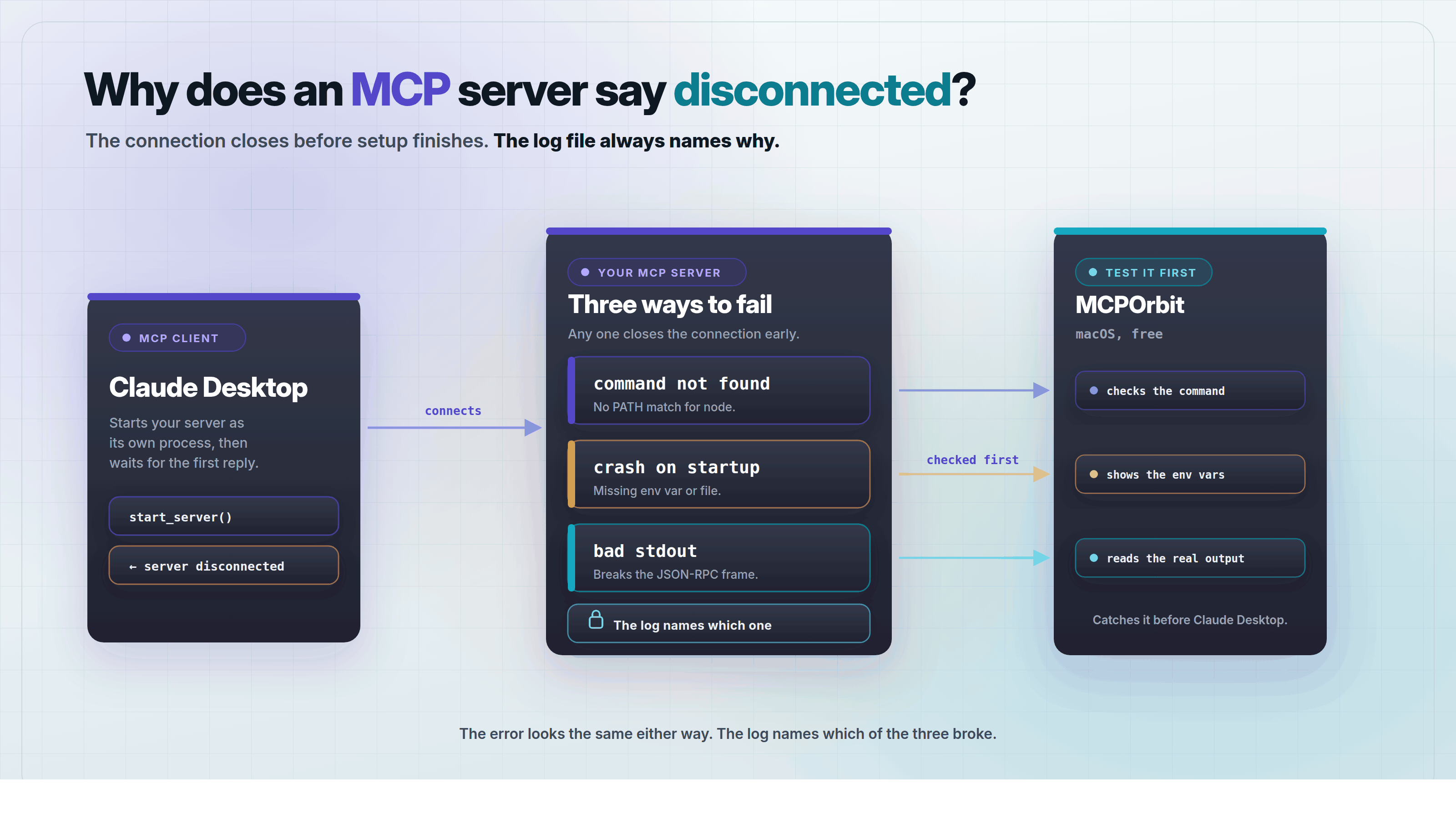
Server disconnected means Claude Desktop tried to start your Model Context Protocol (MCP) server and the connection closed before setup finished. It almost always has one of three causes. A command Claude Desktop can't find, a server that crashes on startup, or output that breaks the connection partway through. Find the cause and the error goes away.
This post covers each cause, where to find the real error message, and how to test a server before adding it to Claude Desktop.
What does 'server disconnected' actually mean?
Claude Desktop starts each MCP server as its own process, then talks to it over stdio, short for standard input and output. That channel carries JSON-RPC messages back and forth between Claude Desktop and the server.
Server disconnected means that channel closed before setup finished. The process may have crashed, exited right away, or never started at all. Claude Desktop can't tell you which one happened from the message alone.
Think of the connection like a phone call. Server disconnected just tells you the call dropped. It does not say why.
Why can't Claude Desktop find the command in your config?
The most common cause is a command that works in your terminal but fails inside Claude Desktop. Claude Desktop launches each server with a minimal environment. It does not include the PATH, the list of folders your terminal searches to find programs like node or npx.
A command installed through a version manager like nvm is often missing from that minimal PATH, so npx or node fails silently.
Fix it by giving the full path to the program instead of just its name. Run which node on macOS or Linux, or where node on Windows, to find that path, then use it in your config.
{
  "mcpServers": {
    "my-server": {
      "command": "/usr/local/bin/node",
      "args": ["/Users/you/my-server/index.js"]
    }
  }
}
Why does the server start, then disconnect right away?
If Claude Desktop finds the command, the next common cause is the server process crashing seconds after it starts. Start with these four causes.
- A required environment variable, like an API key, is missing from the config.
- The server reads a file with a relative path, and the working directory is not what it expects.
- A dependency was never installed, because
npm install(or the equivalent) never ran in that folder. - The server's own startup code throws an error before it can reply to Claude Desktop.
Any one of these ends the process before the connection can finish, and Claude Desktop shows the same server disconnected message for all four.
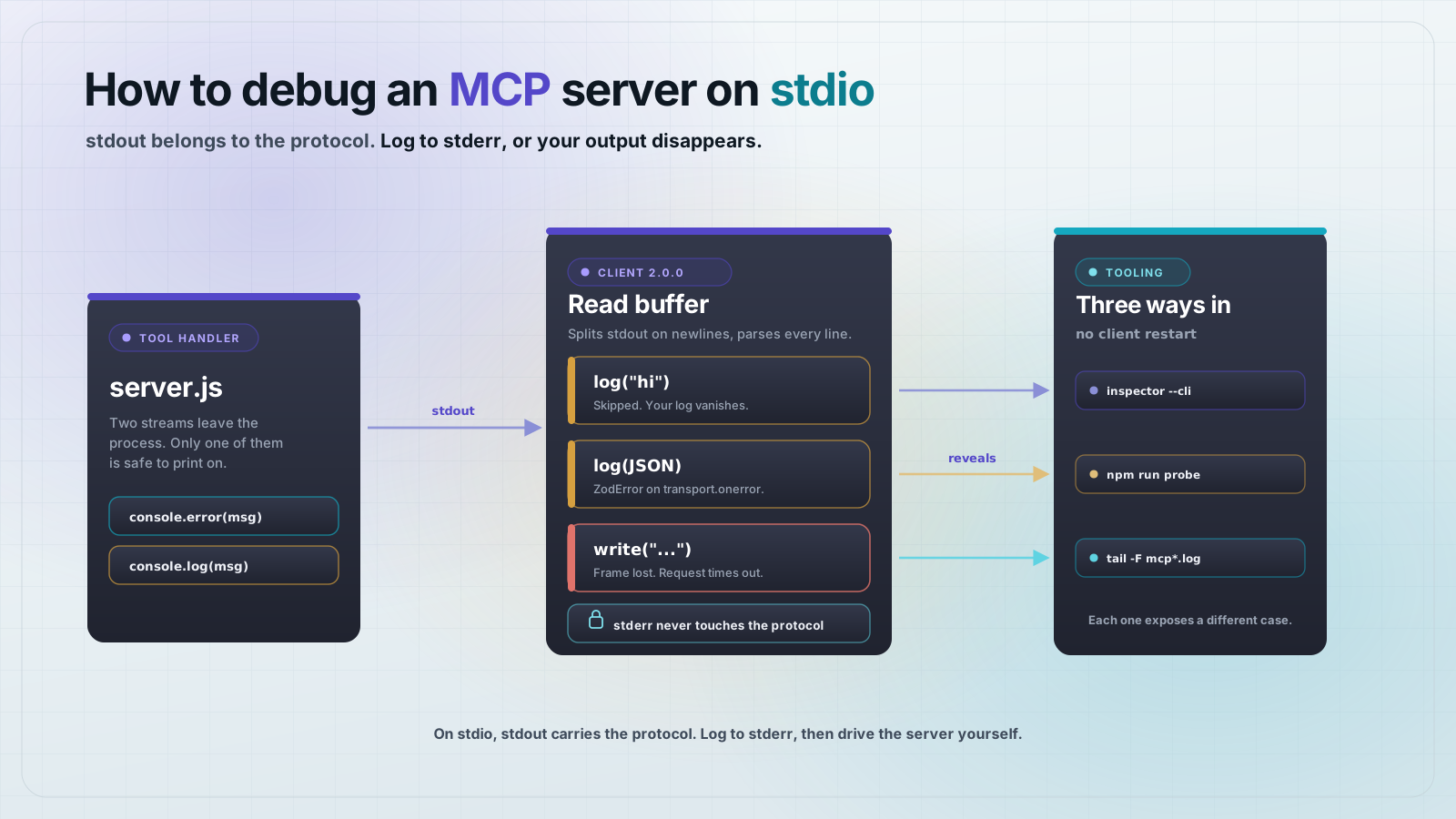
A less common but nastier cause is a server that prints plain text to stdout instead of clean JSON-RPC. That breaks the channel before Claude Desktop can read a reply. How to debug an MCP server covers why that happens and how to fix it.
Where do you find the real error message?
Claude Desktop writes a separate log file for every MCP server, and that log holds the actual error, not just the word disconnected.
- On macOS, open
~/Library/Logs/Claude/mcp-server-<name>.log, where<name>matches the server's name in your config. - On Windows, check the logs folder inside
%APPDATA%\Claude. - Run
tail -f ~/Library/Logs/Claude/mcp-server-<name>.login a terminal, then restart Claude Desktop, to watch the error appear as it happens.
You can also run the exact command from your config directly in a terminal. If your config runs node index.js, run that yourself. Running the command yourself shows the server's own error, not the server disconnected message that replaces it.
How do you test a server before adding it to a client?
The fastest way to avoid this whole class of error is confirming the server works before you ever add it to a client's config. Editing a JSON file, restarting Claude Desktop, and reading a log file for every guess is slow.
MCPOrbit connects to an MCP server directly and shows you its tools, without editing any client's config file. You pick a tool, call it, and see the real response, which confirms the server's command, arguments, and environment variables all work.
Testing a server without a client first is like buying a car without a test drive. You find out what's wrong only after you have already committed to it.
MCPOrbit runs the server with the same command and environment variables Claude Desktop would use. A connection that works there will work in Claude Desktop too. Download MCPOrbit to test a server before you wire it into any client.
Frequently asked questions
Frequently asked questions
- Does 'server disconnected' mean my MCP server is broken?
- Not always. It means the connection closed before setup finished, which can come from a broken server, a wrong command path, or a missing environment variable. Check the server's own log file in Claude Desktop's logs folder to see the exact reason.
- Where does Claude Desktop store MCP server logs on macOS?
- In
~/Library/Logs/Claude/, with one file per server namedmcp-server-<name>.log. Runtail -fon that file while you restart Claude Desktop, and the real error appears the moment the connection fails. - Why does a command that works in my terminal fail inside Claude Desktop?
- Claude Desktop launches servers with a minimal environment, not your terminal's PATH. A command installed through a version manager like nvm is often invisible to it, so use the command's full file path in your config instead.
- Can I test an MCP server without editing Claude Desktop's config?
- Yes. A standalone MCP client like MCPOrbit connects to a server directly and shows you its tools. You can confirm the server works before you add it to any client's config file.
- Does restarting Claude Desktop fix a server disconnected error?
- Only if the cause was temporary, like a server still installing its dependencies. A crash caused by a missing environment variable or a wrong command path will fail again on every restart until you fix the config.
Server disconnected almost always traces back to a bad command path, a startup crash, or a missing environment variable, and the log file names it. Test the connection in MCPOrbit before you add the server to Claude Desktop's config.
About the author
Mark
Head of Marketing, MCPOrbit
Mark leads marketing at MCPOrbit, the free desktop client for the Model Context Protocol. He writes the build-it and reliability guides, and the code in them is run before it ships.