Explainer
What is the Model Context Protocol (MCP)?
The Model Context Protocol (MCP) is an open standard that connects AI apps to external tools and data through one shared interface. Here is how it works.
MCPOrbit Team
Engineering, MCPOrbit
- Published
- Updated
- · Updated
- Read time
- · 6 min read
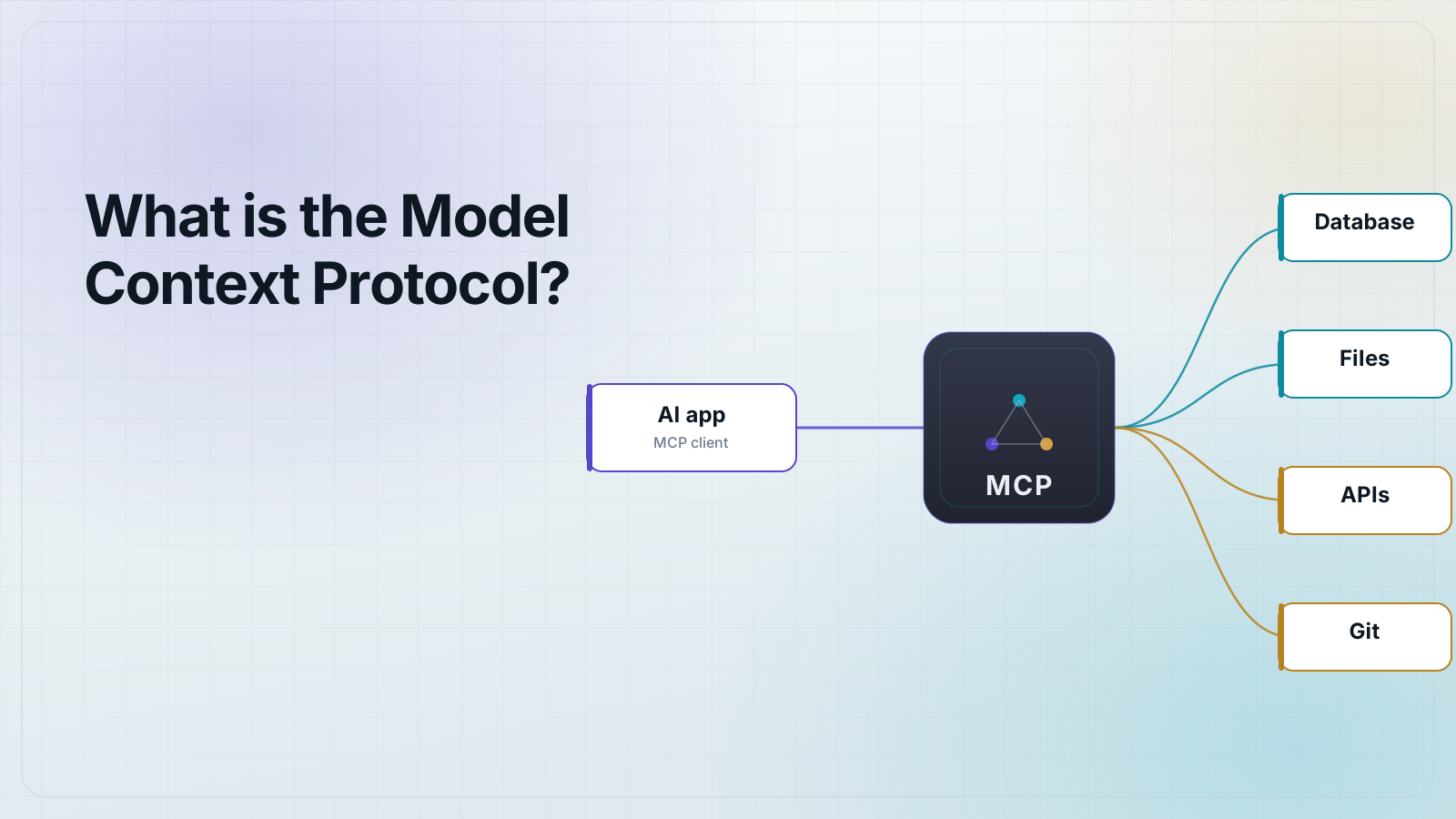
The Model Context Protocol (MCP) is an open standard that lets AI applications connect to external tools and data through one shared interface, so any MCP-compatible app can use any MCP-compatible server without custom, per-integration code.
Anthropic introduced MCP in November 2024 and open-sourced the specification. Think of it as a common port for AI: instead of every assistant hand-rolling its own connector for every database, file store, or SaaS API, each tool is wrapped once as an MCP server, and every MCP client (Claude, IDEs, agents, and other hosts) can speak to it the same way.
What problem does MCP solve?
Before MCP, connecting N AI apps to M tools meant building and maintaining up to N×M bespoke integrations: a separate, brittle connector for each app-and-tool pairing. Every new model or client re-implemented the same plumbing, and every tool had to be re-wrapped for each assistant that wanted to use it.
MCP collapses that N×M problem into N+M. A tool is wrapped once as a server; a client implements the protocol once. After that, any client can talk to any server. That is the whole point of a standard: the integration surface stops growing multiplicatively.
How does an MCP connection work?
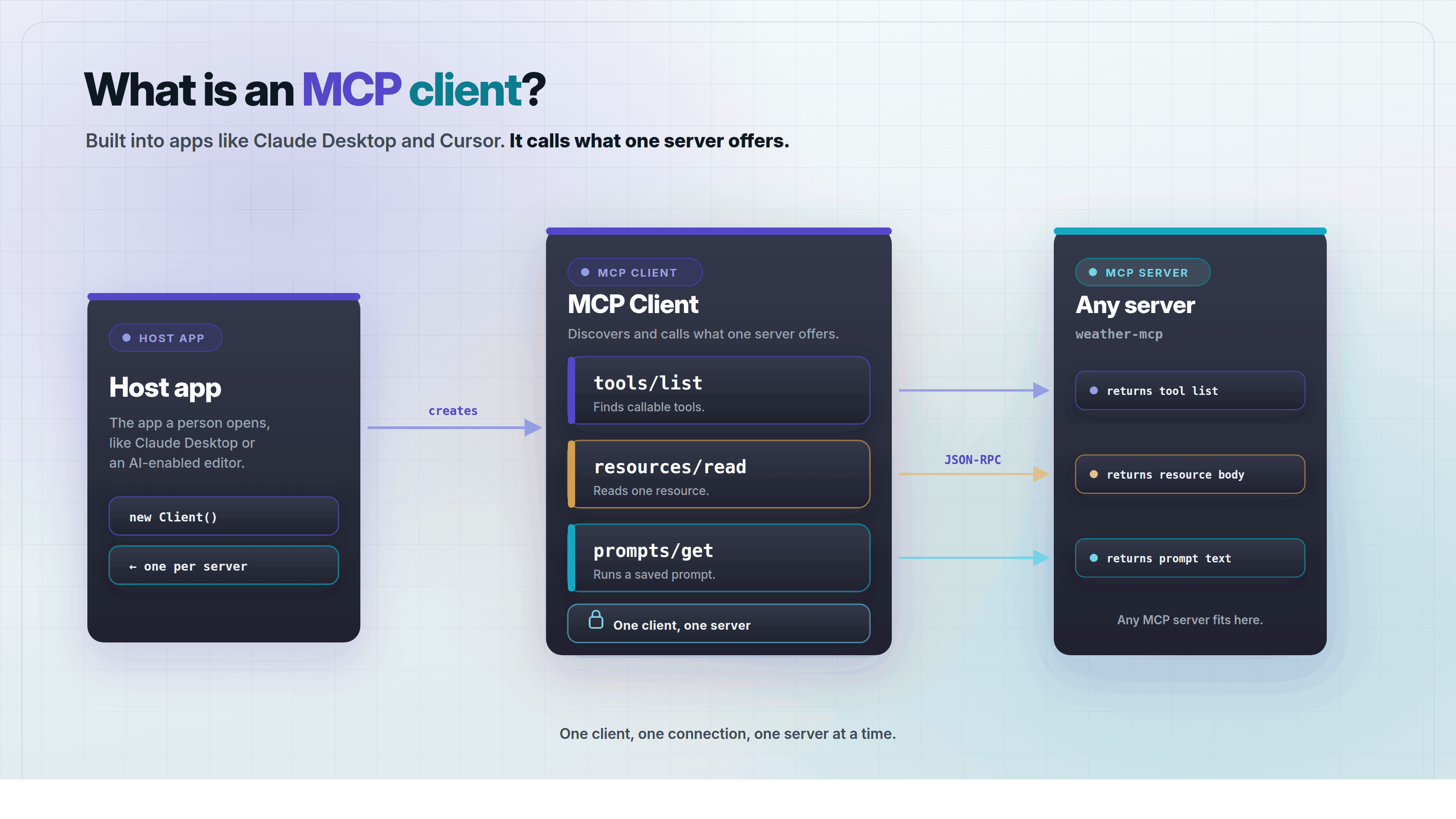
MCP uses a client-server architecture. A host application (the AI app the user interacts with) runs one or more MCP clients, and each client holds a one-to-one connection to an MCP server. The server exposes capabilities; the client discovers and calls them on the model's behalf.
Messages are JSON-RPC 2.0. A connection opens with an initialize handshake where the two sides negotiate protocol version and capabilities, then the client can list and call whatever the server offers. Here is the shape of a client asking a server what tools it has:
// client -> server
{ "jsonrpc": "2.0", "id": 1, "method": "tools/list" }

// server -> client
{
  "jsonrpc": "2.0",
  "id": 1,
  "result": {
    "tools": [
      {
        "name": "query",
        "description": "Run a read-only SQL query",
        "inputSchema": { "type": "object", "properties": { "sql": { "type": "string" } } }
      }
    ]
  }
}
That exchange travels over a transport. The two standard transports are stdio (the server runs as a local subprocess and messages flow over standard in/out) and Streamable HTTP (for remote servers). Streamable HTTP replaced the older HTTP+SSE transport in the 2025-03-26 revision of the spec. The specification itself is versioned by date, for example 2024-11-05, 2025-03-26, and 2025-06-18, so "which MCP version" always has a concrete answer.
What can an MCP server expose?
An MCP server offers three core primitives, distinguished by who is in control of each:
- Tools: actions the model can choose to invoke (run a query, send a message, create a file). Model-controlled.
- Resources: data the application feeds into the model's context (a file, a database row, an API response), addressed by URI. Application-controlled.
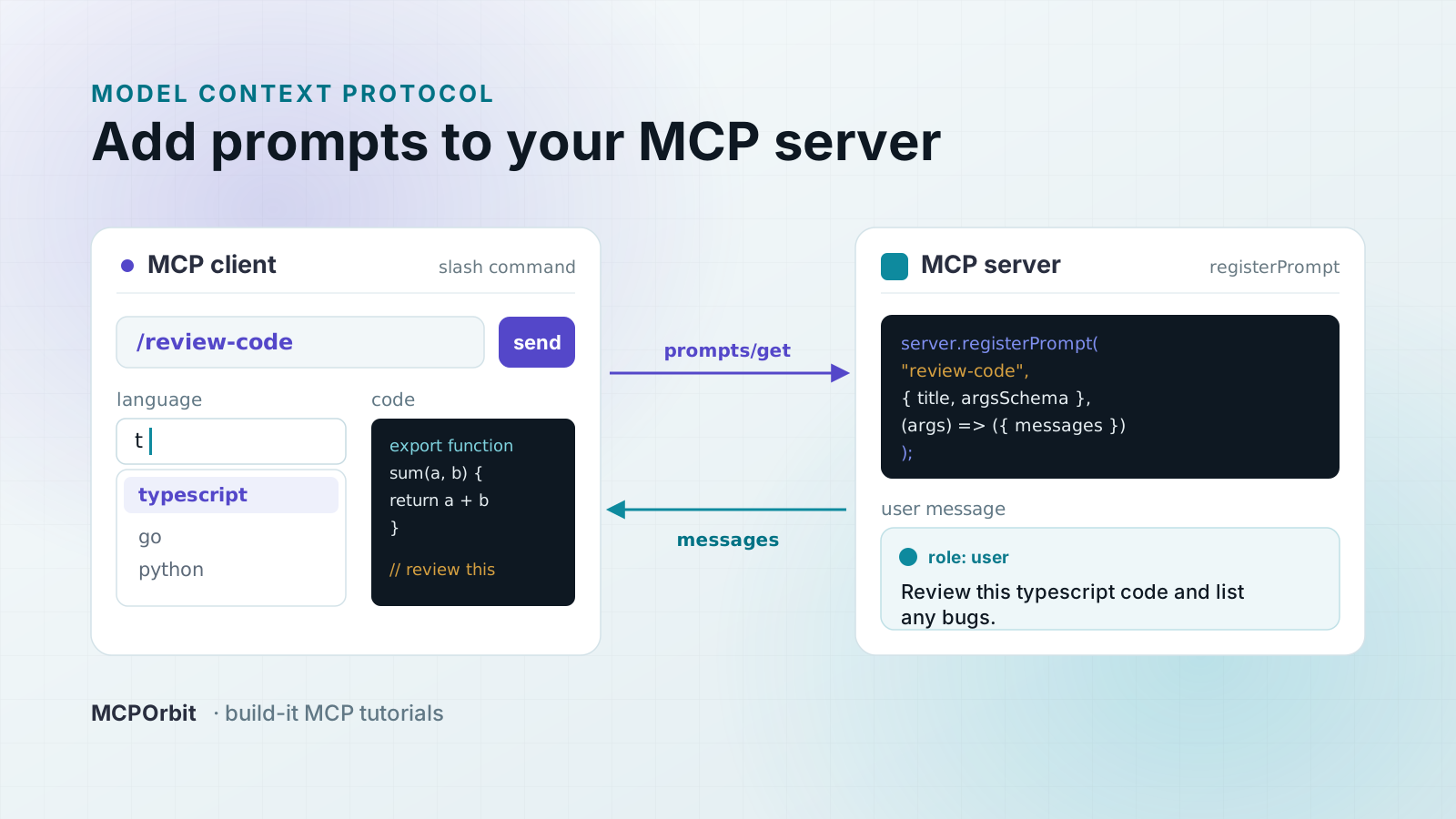
- Prompts: reusable templates or workflows the user explicitly triggers, often surfaced as slash commands. User-controlled.
Clients can also offer capabilities back to the server, most notably sampling (letting a server ask the host's model to complete a request) and roots (telling the server which files or directories it may operate on). The result is a two-way protocol, not a one-way tool list.
What does MCP look like in production?
MCP moved from a promising spec to real infrastructure fast. The day-to-day reality is messier than the spec diagrams suggest: servers ship on both stdio and Streamable HTTP, advertise different protocol revisions, and change their tool lists between deploys.
It is also a reminder that a standard is not automatically a safe default. Plenty of public MCP servers answer an unauthenticated tools/list request. They will happily enumerate their capabilities to anyone who asks. MCP makes integration uniform; it does not make your deployment secure. Treat an MCP server like any other service on your network: authenticate it, scope it, and watch it.
Frequently asked questions
- What is the Model Context Protocol in one sentence?
- MCP is an open standard that lets AI applications connect to external tools and data through one shared interface, so any compatible client can use any compatible server without custom integration code.
- Who created MCP and is it open?
- Anthropic introduced MCP in November 2024 and open-sourced the specification. It is an open standard with a public spec, and clients and servers exist across many vendors and open-source projects.
- What transports does MCP support?
- Two standard transports: stdio for local servers running as a subprocess, and Streamable HTTP for remote servers. Streamable HTTP replaced the older HTTP+SSE transport in the 2025-03-26 spec revision.
- What is the difference between an MCP client and an MCP server?
- The server exposes capabilities: tools, resources, and prompts. The client, embedded in a host app like an AI assistant, discovers those capabilities and calls them on the model's behalf over a one-to-one connection.
- Do I need MCP to build an AI tool?
- No, but it saves work. Without MCP you write a bespoke integration for each app-and-tool pair. With MCP you wrap a tool once as a server and every MCP-compatible client can use it, turning an N×M integration problem into N+M.
About the author
MCPOrbit Team
Engineering, MCPOrbit
The MCPOrbit engineering team builds MCPOrbit, a free desktop client for the Model Context Protocol. It connects to any MCP server so you can browse its tools, call them by hand, and run them through a real agent loop.