Tutorial
How to add prompts to your MCP server
Add prompts to an MCP server with server.registerPrompt: give each one an argument schema and a handler that returns chat messages. Clients discover them with prompts/list and expand them with prompts/get. Runnable, tested code with argument autocompletion.
Mark
Head of Marketing, MCPOrbit
- Published
- Updated
- · Updated
- Read time
- · 9 min read
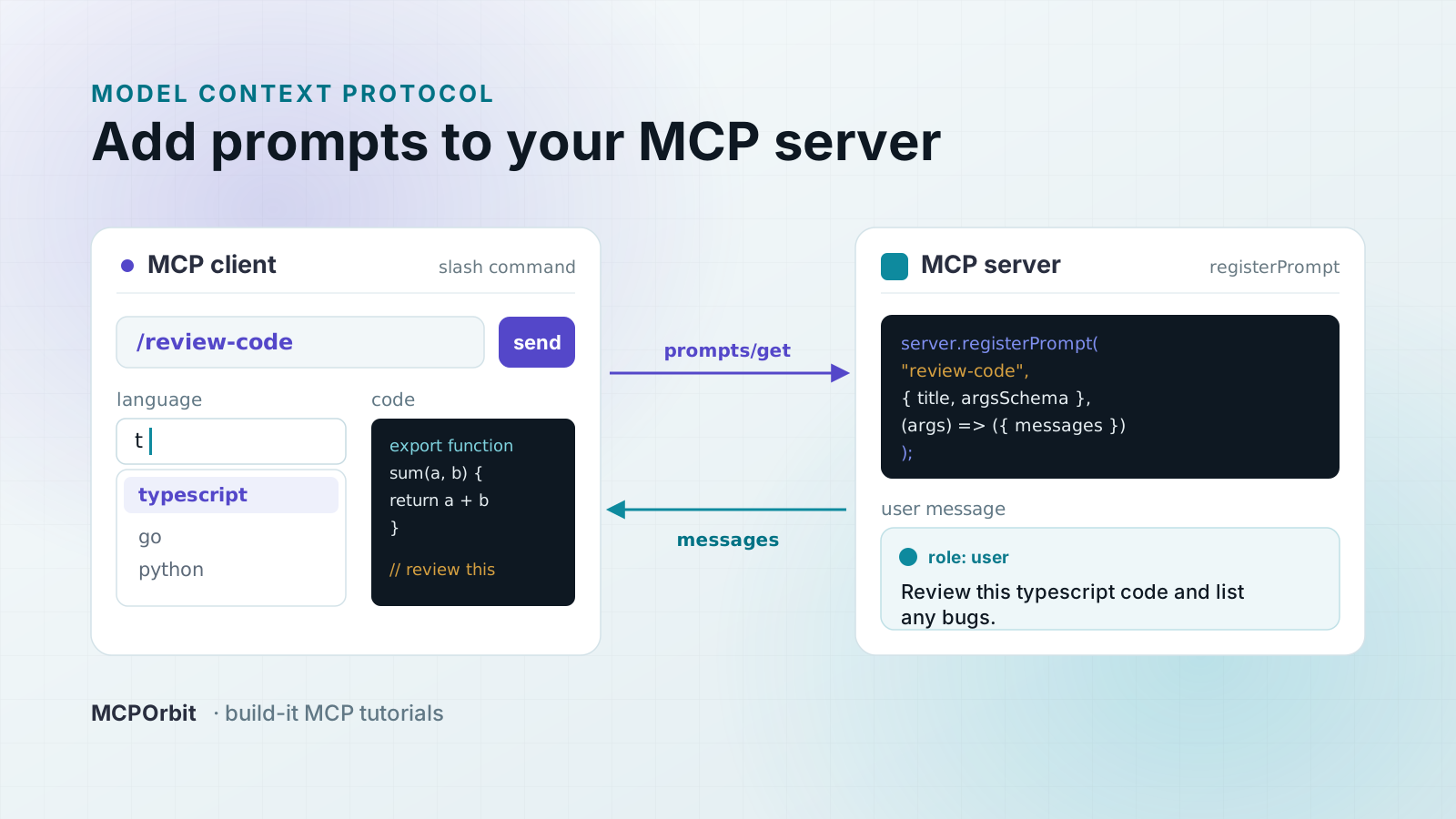
To add prompts to a Model Context Protocol (MCP) server, call server.registerPrompt() once per prompt: pass an argument schema and a function that returns the chat messages to send. Clients discover your prompts with prompts/list and expand them with prompts/get. The key distinction: a prompt is a template the user chooses (your client usually surfaces it as a slash command), while a tool is something the model calls on its own.
What is a prompt in MCP, and how is it different from a tool?
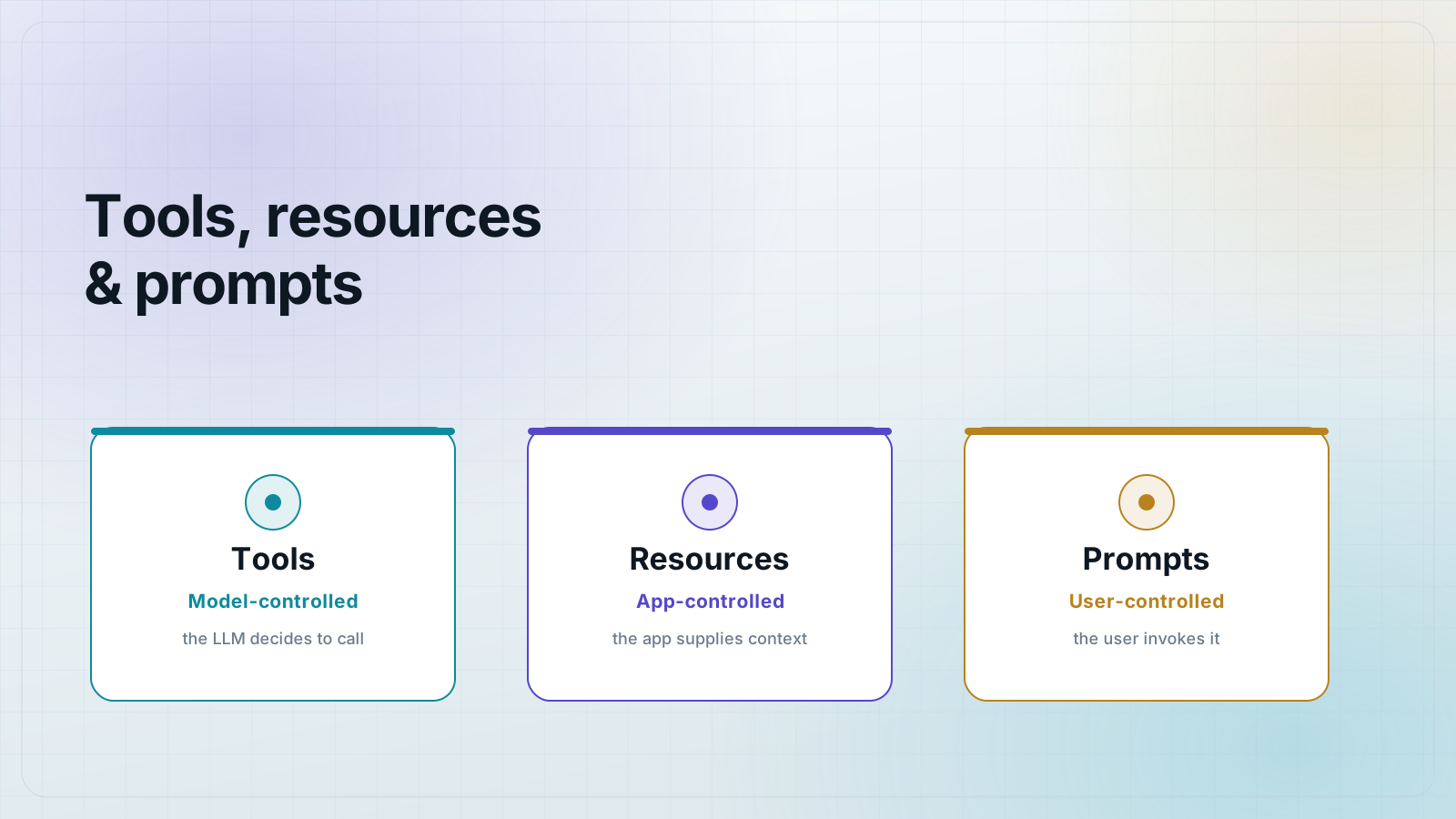
An MCP prompt is a named, reusable message template that the user invokes. The server owns the wording; the user supplies a few arguments and the client sends the resulting messages to the model. Because the user triggers it, a prompt is the right primitive for actions a person should start on purpose: "summarize this," "review this code," "write a commit message from this diff."
A tool is the opposite side of control. The model decides when to call a tool, and the tool runs code and returns data. If you want the model to fetch a row from Postgres mid-answer, that is a tool. If you want the user to pick a canned instruction and fire it, that is a prompt. Many clients render prompts as slash commands in the chat box, which is why the user, not the model, is in the driver's seat.
Set up the project
You need two dependencies: the MCP SDK and Zod for the argument schema. Pin both so the behavior below is reproducible.
{
  "name": "docs-prompts",
  "private": true,
  "type": "module",
  "dependencies": {
    "@modelcontextprotocol/sdk": "1.30.0",
    "zod": "4.4.3"
  }
}
Register a prompt with arguments
Call registerPrompt() with a name, a definition (title, description, and an argsSchema), and a handler. The handler receives the parsed arguments and returns a messages array, exactly the shape a client passes to the model. The argsSchema is a plain object of Zod validators: a required text string and an optional tone enum below. The SDK turns that shape into the argument list clients see in prompts/list.
// server.js - an MCP server that exposes two prompts.
import { McpServer } from "@modelcontextprotocol/sdk/server/mcp.js";
import { completable } from "@modelcontextprotocol/sdk/server/completable.js";
import { z } from "zod";

const LANGUAGES = ["go", "python", "rust", "typescript"];

export function buildServer() {
  const server = new McpServer({ name: "docs-prompts", version: "1.0.0" });

  // A simple prompt with a required and an optional argument.
  server.registerPrompt(
    "summarize",
    {
      title: "Summarize text",
      description: "Ask the model to summarize a passage",
      argsSchema: {
        text: z.string().describe("The text to summarize"),
        tone: z.enum(["plain", "formal"]).optional().describe("Summary tone"),
      },
    },
    ({ text, tone }) => ({
      messages: [
        {
          role: "user",
          content: {
            type: "text",
            text: `Summarize the following in a ${tone ?? "plain"} tone:\n\n${text}`,
          },
        },
      ],
    })
  );

  // A prompt whose "language" argument autocompletes.
  server.registerPrompt(
    "review-code",
    {
      title: "Review code",
      description: "Ask the model to review a snippet",
      argsSchema: {
        language: completable(z.string(), (value) =>
          LANGUAGES.filter((l) => l.startsWith(value ?? ""))
        ),
        code: z.string().describe("The code to review"),
      },
    },
    ({ language, code }) => ({
      messages: [
        {
          role: "user",
          content: {
            type: "text",
            text: `Review this ${language} code and list any bugs:\n\n${code}`,
          },
        },
      ],
    })
  );

  return server;
}
Two things are doing the work here. First, the handler builds the message text from the arguments, so the template lives in one place on the server. Second, review-code wraps its language argument in completable(), which we use for autocompletion later in this post.
How do clients discover and use your prompts?
A client makes two calls. prompts/list returns every prompt with its arguments and which ones are required, so the client can render a form or a slash-command menu. prompts/get takes a prompt name plus argument values and returns the finished messages the client feeds to the model. Your handler never talks to the model itself; it only produces messages, which keeps prompts pure and easy to test.
Test your prompts with node --test
You do not need a network or a running model to test prompts. Wire a client to the server in the same process with InMemoryTransport.createLinkedPair(), then assert on what prompts/list, prompts/get, and completion/complete return. This runs in milliseconds on every save.
// server.test.mjs - run with: node --test
import { test } from "node:test";
import assert from "node:assert/strict";
import { Client } from "@modelcontextprotocol/sdk/client/index.js";
import { InMemoryTransport } from "@modelcontextprotocol/sdk/inMemory.js";
import { buildServer } from "./server.js";

async function connect() {
  const [clientT, serverT] = InMemoryTransport.createLinkedPair();
  const client = new Client({ name: "test", version: "1.0.0" });
  await Promise.all([buildServer().connect(serverT), client.connect(clientT)]);
  return client;
}

test("prompts/list returns both prompts with their arguments", async () => {
  const client = await connect();
  const { prompts } = await client.listPrompts();
  const names = prompts.map((p) => p.name).sort();
  assert.deepEqual(names, ["review-code", "summarize"]);
  const summarize = prompts.find((p) => p.name === "summarize");
  const required = summarize.arguments.find((a) => a.name === "text");
  assert.equal(required.required, true);
});

test("prompts/get fills the template from arguments", async () => {
  const client = await connect();
  const res = await client.getPrompt({
    name: "summarize",
    arguments: { text: "MCP is a protocol.", tone: "formal" },
  });
  assert.equal(res.messages.length, 1);
  assert.equal(res.messages[0].role, "user");
  assert.match(res.messages[0].content.text, /formal tone/);
});

test("a missing required argument is rejected with -32602", async () => {
  const client = await connect();
  await assert.rejects(
    () => client.getPrompt({ name: "summarize", arguments: {} }),
    (err) => err.code === -32602
  );
});

test("completion suggests matching argument values", async () => {
  const client = await connect();
  const res = await client.complete({
    ref: { type: "ref/prompt", name: "review-code" },
    argument: { name: "language", value: "t" },
  });
  assert.deepEqual(res.completion.values, ["typescript"]);
});
Run it with the built-in test runner. All four cases pass: the list shape, the filled template, the -32602 error on a missing argument, and the completion result.
$ node --test
✔ prompts/list returns both prompts with their arguments
✔ prompts/get fills the template from arguments
✔ a missing required argument is rejected with -32602
✔ completion suggests matching argument values
ℹ tests 4
ℹ pass 4
ℹ fail 0
How do I preview a prompt from the command line?
Add a one-line stdio entrypoint and drive the server with the MCP Inspector CLI. This is the check you run before you ship: it launches your server the way a real client would and prints exactly what the model will receive.
// bin.js - run the prompts server over stdio.
import { StdioServerTransport } from "@modelcontextprotocol/sdk/server/stdio.js";
import { buildServer } from "./server.js";
await buildServer().connect(new StdioServerTransport());
# List the prompts your server exposes.
npx @modelcontextprotocol/inspector --cli node bin.js --method prompts/list
# Expand one prompt with arguments and see the messages it produces.
npx @modelcontextprotocol/inspector --cli node bin.js \\
--method prompts/get --prompt-name summarize \\
--prompt-args text="MCP is a protocol." tone=formalThe prompts/get call prints the finished messages, with the arguments already substituted:
{
  "messages": [
    {
      "role": "user",
      "content": {
        "type": "text",
        "text": "Summarize the following in a formal tone:\n\nMCP is a protocol."
      }
    }
  ]
}
How do I autocomplete prompt arguments?
Wrap any argument validator in completable() and give it a function that returns candidate values for what the user has typed so far. The SDK exposes those candidates through the standard completion/complete request, so a client can offer a dropdown as the user fills in the argument. In review-code, typing t into language returns ["typescript"], because the completion function filters the language list by prefix. Completion is a suggestion channel only; it never changes what a required argument means or bypasses validation.
When should you use a prompt instead of a tool or a resource?
- Use a prompt when the user should choose and trigger a templated instruction, like a slash command.
- Use a tool when the model should decide to run code and get data back on its own.
- Use a resource when the app wants to hand the model read-only context by URI, with no action attached.
- When in doubt, ask who is in control. User in control means prompt; model in control means tool.
Frequently asked questions
- How do I add a prompt to an MCP server?
- Call
server.registerPrompt(name, { title, description, argsSchema }, handler). TheargsSchemais a Zod shape, and the handler returns{ messages: [...] }. Clients then see it inprompts/listand expand it withprompts/get. - What is the difference between an MCP prompt and a tool?
- A prompt is user-initiated: the user picks it (often as a slash command) and supplies arguments. A tool is model-initiated: the model calls it to run code and get data. Choose by who is in control of triggering the interaction.
- How do clients get the messages from a prompt?
- A client calls
prompts/getwith the prompt name and argument values. The server runs your handler and returns the finishedmessagesarray, which the client sends to the model. The handler never contacts the model itself. - How do I make a prompt argument required or optional?
- It follows the Zod schema. A plain validator like
z.string()is a required argument; add.optional()to make it optional. Aprompts/getcall missing a required argument rejects with JSON-RPC error -32602. - How do I autocomplete prompt arguments?
- Wrap the argument in
completable(schema, (value) => candidates). The SDK serves the candidates throughcompletion/complete, so a client can suggest values as the user types. It is a suggestion channel and does not replace validation. - Can I test MCP prompts without a running model?
- Yes. Connect a client to the server in the same process with
InMemoryTransport.createLinkedPair()and assert on whatprompts/list,prompts/get, andcompletion/completereturn. It runs in milliseconds undernode --test.
About the author
Mark
Head of Marketing, MCPOrbit
Mark leads marketing at MCPOrbit, the free desktop client for the Model Context Protocol. He writes the build-it and reliability guides, and the code in them is run before it ships.