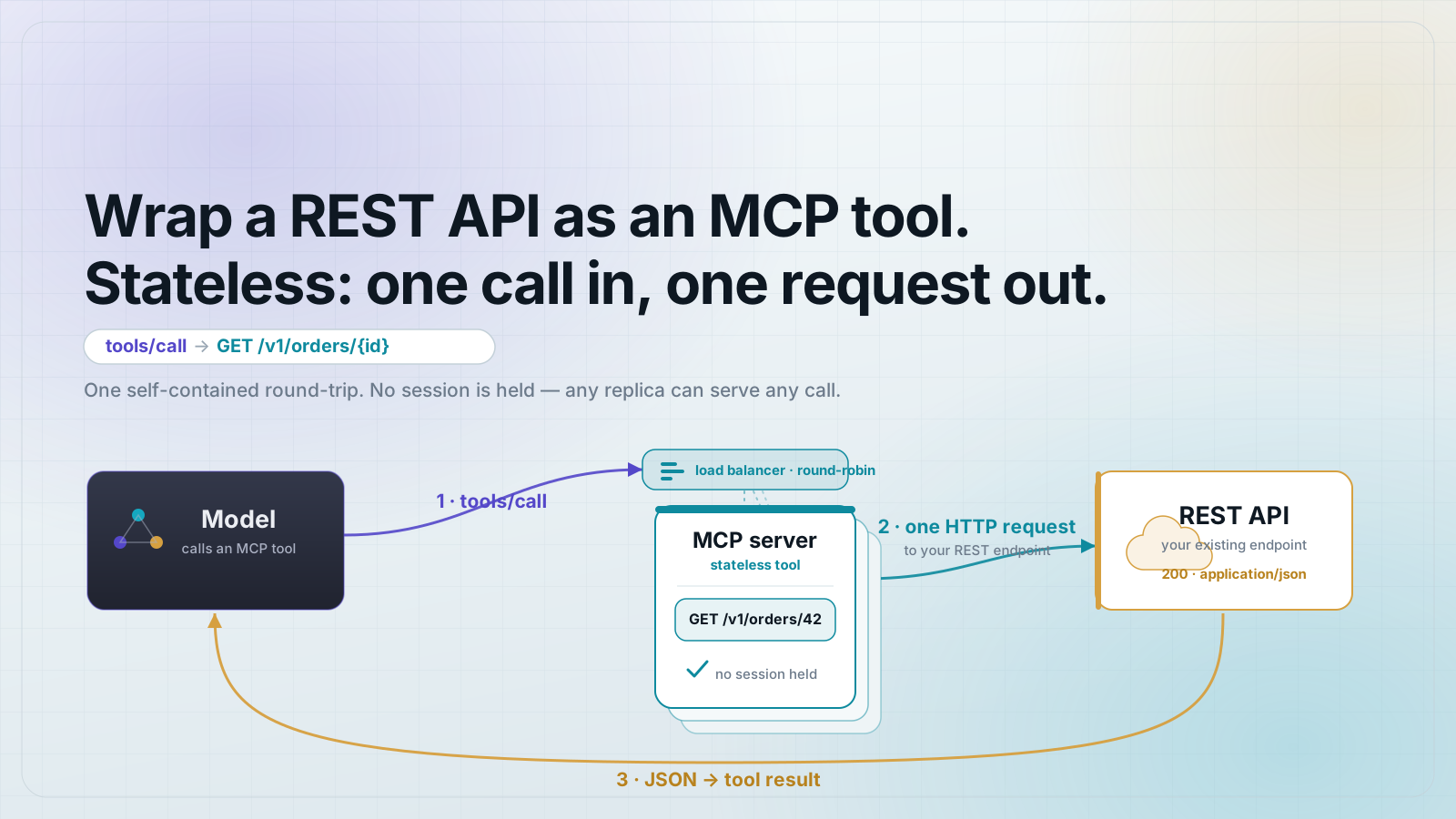
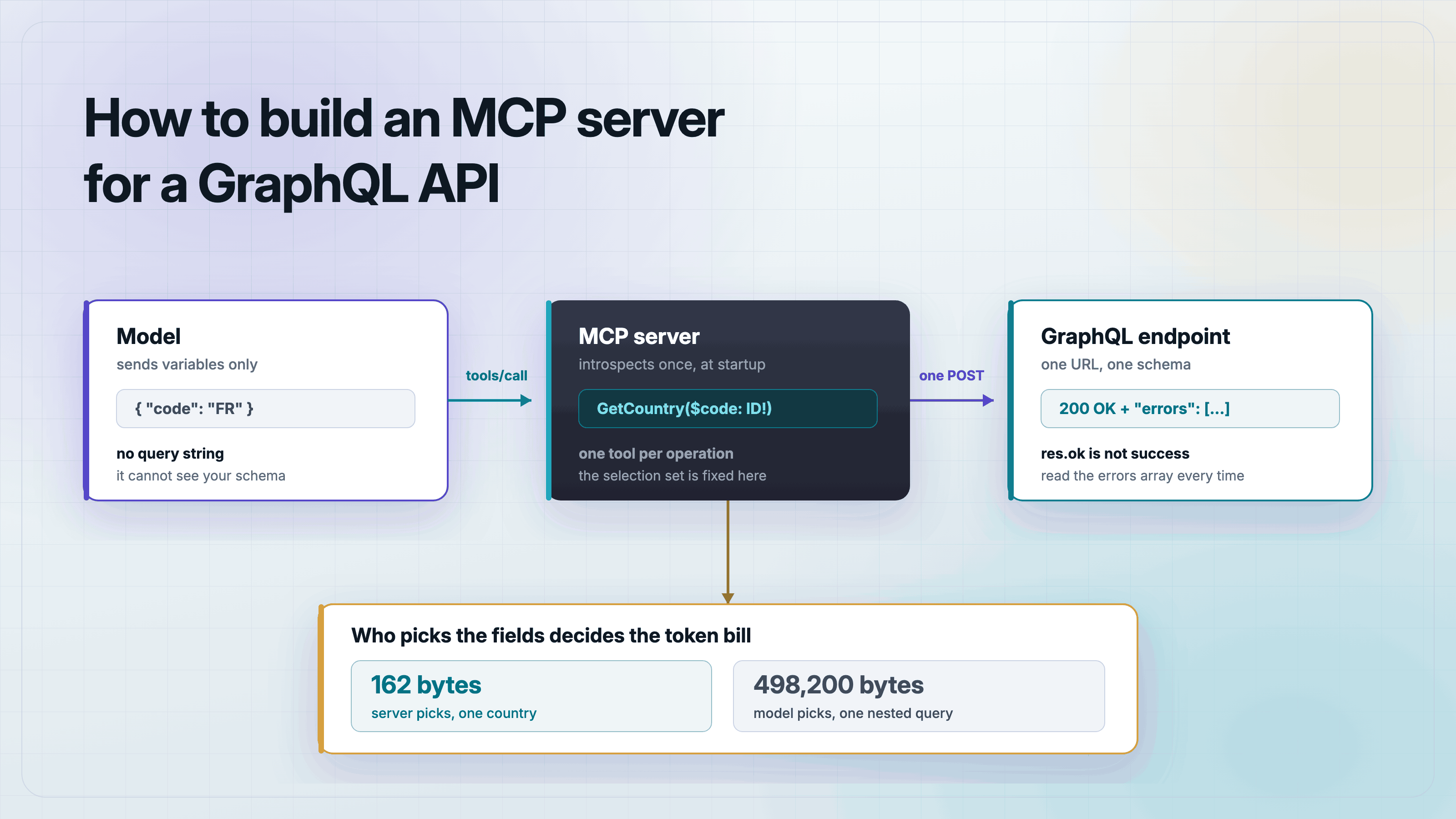
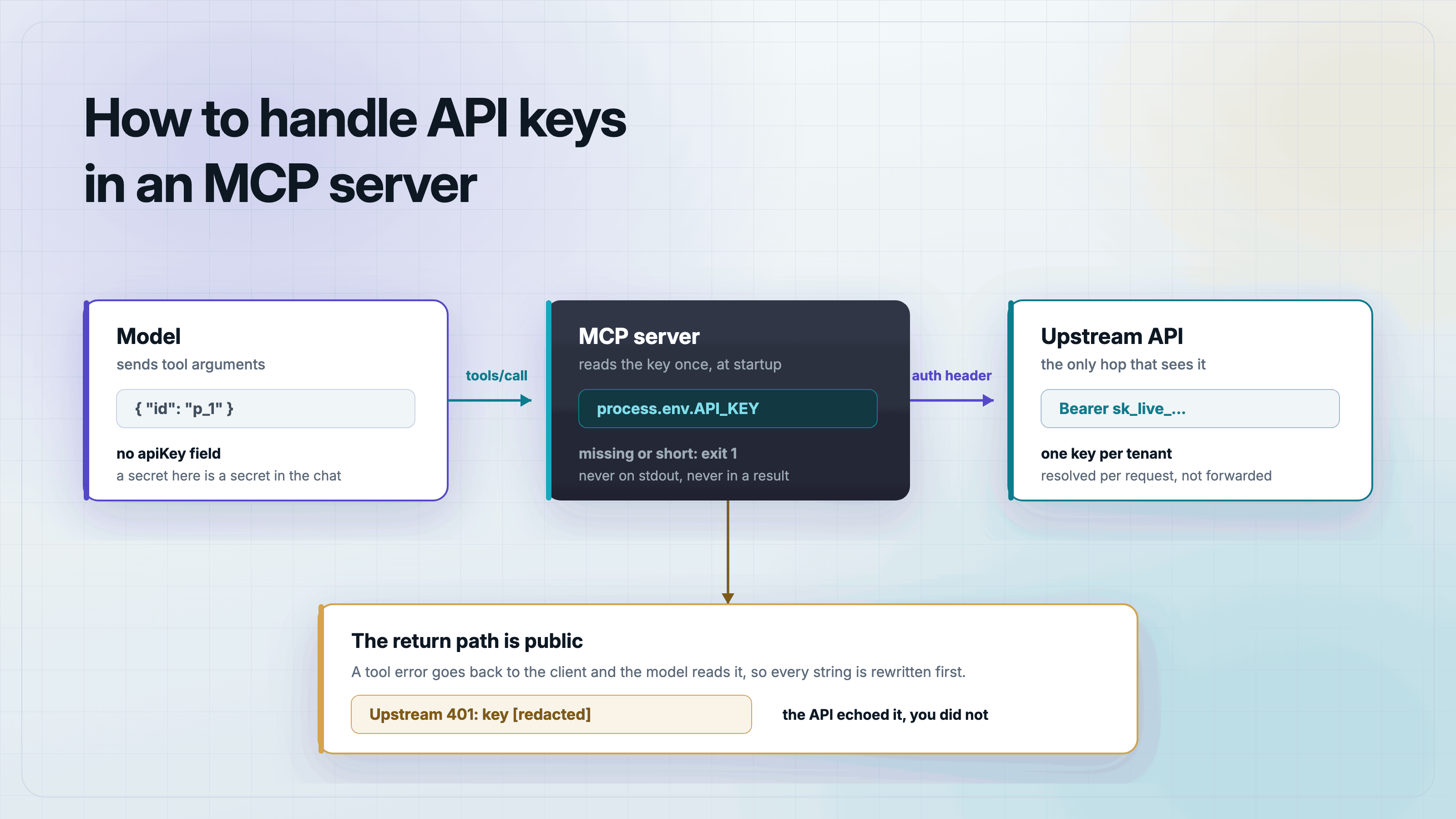
Build it
How to Build an MCP Server for GitHub
Build a read-only GitHub MCP server in TypeScript that fetches repos, issues, and files. Works with no token for public repos, tested against the live API.
Mark
Head of Marketing, MCPOrbit
- Published
- Updated
- · Updated
- Read time
- · 8 min read
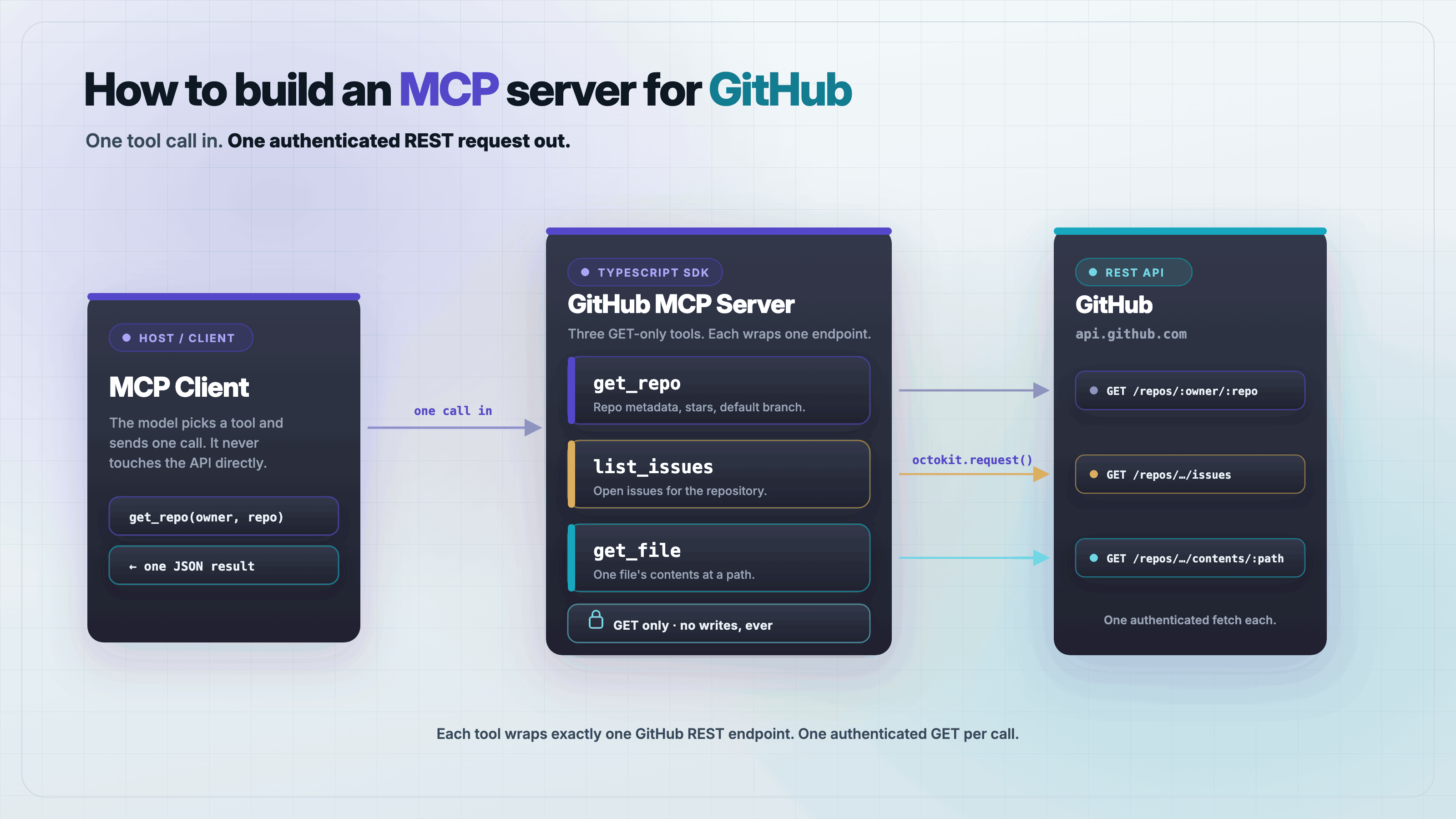
To build a Model Context Protocol (MCP) server for GitHub, wrap the GitHub REST API in a small set of read-only tools and serve them over stdio with the official TypeScript SDK. The server below exposes three tools, get_repo, list_issues, and get_file, works with no token against public repositories, and takes a GITHUB_TOKEN for private repos and a higher rate limit. Every tool call is one authenticated fetch to api.github.com.
This is a complete server in one file, tested end to end against the live GitHub API before it was published. Copy it, run the test, and point Claude Desktop at it.
What does a GitHub MCP server do?
A GitHub MCP server turns GitHub data into tools an AI client can call. Instead of pasting a repository's README into a chat, the model calls get_file and reads it directly; instead of you summarizing open issues, it calls list_issues. The server is a thin, typed adapter: it takes a tool call, makes one REST request, and hands back the fields that matter.
Keeping it read-only is a deliberate choice. The three tools here only ever issue GET requests, so the worst a confused or adversarial model can do is read public data it already had access to. Adding write tools (open an issue, push a commit) is a larger security decision, and it belongs behind a token with narrow scopes, not in your first server.
Set up the project
The v2 SDK ships as split packages: @modelcontextprotocol/server for the server and @modelcontextprotocol/client for the test client. Pin zod to 4.4.3, the SDK needs zod 4.2 or newer for its input schemas. This is an ESM-only project, so set the package type to module.
mkdir github-mcp && cd github-mcp
npm init -y && npm pkg set type=module
npm install @modelcontextprotocol/server@2.0.0 zod@4.4.3
npm install -D @modelcontextprotocol/client@2.0.0 tsx@4Write the API helper first
Every tool makes the same shape of request, so factor it into one helper. It sets the three headers GitHub expects, adds a bearer token when GITHUB_TOKEN is present, and turns any non-2xx response into a thrown error carrying the status and body. That last part matters: when the helper throws, the SDK converts it into a tool error the model can read, instead of a silent empty result.
Register the tools
Each tool is a name, a config object with a title, description, and a zod inputSchema, and an async handler. In v2 the inputSchema is a full z.object(...), not a bare shape, and the handler receives the parsed, typed arguments. get_repo returns a compact object, list_issues filters out pull requests (GitHub's issues endpoint returns both), and get_file base64-decodes the contents API response. Here is the whole server.
// server.ts - a read-only GitHub MCP server on the v2 TypeScript SDK.
// Works unauthenticated for public repos; set GITHUB_TOKEN for higher
// rate limits and private repos.
import { McpServer } from "@modelcontextprotocol/server";
import { serveStdio } from "@modelcontextprotocol/server/stdio";
import { z } from "zod";

const API = "https://api.github.com";
const TOKEN = process.env.GITHUB_TOKEN;

async function gh(path: string): Promise<any> {
  const headers: Record<string, string> = {
    Accept: "application/vnd.github+json",
    "User-Agent": "github-mcp-server",
    "X-GitHub-Api-Version": "2022-11-28",
  };
  if (TOKEN) headers.Authorization = `Bearer ${TOKEN}`;
  const res = await fetch(`${API}${path}`, { headers });
  if (!res.ok) {
    const body = await res.text();
    throw new Error(`GitHub API ${res.status} on ${path}: ${body.slice(0, 200)}`);
  }
  return res.json();
}

function makeServer() {
  const server = new McpServer(
    { name: "github", version: "1.0.0" },
    { capabilities: { tools: {} } },
  );

  server.registerTool(
    "get_repo",
    {
      title: "Get repository",
      description: "Fetch metadata for a public GitHub repository.",
      inputSchema: z.object({ owner: z.string(), repo: z.string() }),
    },
    async ({ owner, repo }) => {
      const r = await gh(`/repos/${owner}/${repo}`);
      const out = {
        full_name: r.full_name,
        description: r.description,
        stars: r.stargazers_count,
        language: r.language,
        open_issues: r.open_issues_count,
        url: r.html_url,
      };
      return { content: [{ type: "text", text: JSON.stringify(out, null, 2) }] };
    },
  );

  server.registerTool(
    "list_issues",
    {
      title: "List issues",
      description: "List open issues for a repository, most recent first.",
      inputSchema: z.object({
        owner: z.string(),
        repo: z.string(),
        limit: z.number().int().min(1).max(30).default(5),
      }),
    },
    async ({ owner, repo, limit }) => {
      const issues = await gh(
        `/repos/${owner}/${repo}/issues?state=open&per_page=${limit}`,
      );
      const rows = issues
        .filter((i: any) => !i.pull_request) // the issues endpoint also returns PRs
        .map((i: any) => `#${i.number} ${i.title} (${i.comments} comments)`);
      return { content: [{ type: "text", text: rows.join("\n") || "No open issues." }] };
    },
  );

  server.registerTool(
    "get_file",
    {
      title: "Get file contents",
      description: "Read a UTF-8 text file at an optional ref (branch, tag, or SHA).",
      inputSchema: z.object({
        owner: z.string(),
        repo: z.string(),
        path: z.string(),
        ref: z.string().optional(),
      }),
    },
    async ({ owner, repo, path, ref }) => {
      const q = ref ? `?ref=${encodeURIComponent(ref)}` : "";
      const r = await gh(`/repos/${owner}/${repo}/contents/${path}${q}`);
      if (Array.isArray(r)) throw new Error(`${path} is a directory, not a file`);
      const text = Buffer.from(r.content, "base64").toString("utf8");
      return { content: [{ type: "text", text: text.slice(0, 4000) }] };
    },
  );

  return server;
}

serveStdio(() => makeServer());Serve it over stdio
The last line does the serving. In v2, serveStdio takes a factory, () => makeServer(), not a server instance: it calls the factory once per connection so a fresh server is pinned for that connection's lifetime. Passing an already-built server here is the most common v2 mistake, and it surfaces as an Internal server error (-32603) on the very first request, including initialize.
Test it end to end before you trust it
A server that talks to a remote API is exactly the kind of code you do not ship on faith. This test spawns server.ts over stdio, connects a real MCP client, and calls the tools against a repository that exists (modelcontextprotocol/modelcontextprotocol). The assertion that matters most is the last one: a request for a repo that does not exist must come back with isError: true, proving the thrown error became a tool error instead of taking the server down.
// test-client.ts - spawn the server, call each tool against a real repo, assert.
import { Client } from "@modelcontextprotocol/client";
import { StdioClientTransport } from "@modelcontextprotocol/client/stdio";

const transport = new StdioClientTransport({
  command: "npx",
  args: ["tsx", new URL("./server.ts", import.meta.url).pathname],
});
const client = new Client({ name: "test", version: "1.0.0" });
await client.connect(transport);

function assert(cond: unknown, msg: string) {
  if (!cond) throw new Error("ASSERT FAILED: " + msg);
  console.log("  ok - " + msg);
}

const { tools } = await client.listTools();
assert(tools.length === 3, "3 tools registered");

const repo = await client.callTool({
  name: "get_repo",
  arguments: { owner: "modelcontextprotocol", repo: "modelcontextprotocol" },
});
const info = JSON.parse((repo.content as any)[0].text);
assert(info.full_name === "modelcontextprotocol/modelcontextprotocol", "get_repo returns full_name");
assert(typeof info.stars === "number" && info.stars > 0, "get_repo returns star count");

// The error path: a missing repo must come back as a tool error, not a crash.
const bad = await client.callTool({
  name: "get_repo",
  arguments: { owner: "modelcontextprotocol", repo: "does-not-exist-xyz" },
});
assert(bad.isError === true, "missing repo returns a tool error");

await client.close();
console.log("\nALL CHECKS PASSED");
Run it with one command. Against the live API, this prints six ok lines and then the banner.
npx tsx test-client.ts
# ...
# ALL CHECKS PASSED
Add it to Claude Desktop
Point a client at the server with an absolute path to server.ts and, optionally, a token. In Claude Desktop, edit claude_desktop_config.json (see the companion guide, How to add an MCP server to Claude Desktop, for the exact file location per OS). Cursor uses the same mcpServers shape in ~/.cursor/mcp.json.
{
  "mcpServers": {
    "github": {
      "command": "npx",
      "args": ["tsx", "/absolute/path/to/github-mcp/server.ts"],
      "env": { "GITHUB_TOKEN": "ghp_your_token_here" }
    }
  }
}
The same server in MCPOrbit is those three values in a form. Command is npx, Arguments is tsx /absolute/path/to/github-mcp/server.ts, and the GITHUB_TOKEN entry goes in Environment Variables, which takes the same JSON object shape as the env block above. No file to edit and no restart. How to add an MCP server to MCPOrbit walks through the form.
Frequently asked questions
Frequently asked questions
- How do I build an MCP server for GitHub?
- Wrap the GitHub REST API in read-only tools with the official TypeScript SDK. Register
get_repo,list_issues, andget_fileon anMcpServer, have each tool make onefetchtoapi.github.comwith theAccept,User-Agent, andX-GitHub-Api-Versionheaders, and serve it over stdio withserveStdio(() => makeServer()). - Do I need a GitHub token to use an MCP server?
- Not for public repositories. Unauthenticated requests to the GitHub REST API work but are limited to 60 per hour per IP. Set a
GITHUB_TOKENto raise that to 5,000 per hour and to reach private repos. The server here reads the token from the environment and adds it as a bearer header when present. - Why does my MCP server return Internal server error on initialize?
- In the v2 TypeScript SDK,
serveStdioexpects a factory function that returns a server, not a server instance. If you pass an already-constructedMcpServer, every request includinginitializefails with a -32603 internal error. Wrap it:serveStdio(() => makeServer()). - Why are pull requests showing up in my issues list?
- GitHub's
GET /repos/{owner}/{repo}/issuesendpoint treats pull requests as issues and returns both. Filter results where thepull_requestfield is present to get issues only. - Is it safe to give an AI model access to GitHub through MCP?
- Read-only tools like these only issue
GETrequests, so a model cannot modify your repositories. The real risk is scope: use a fine-grained token limited to the repos and read permissions the tools need, never a full-access token. Add write tools only behind an explicit, narrowly scoped credential.
That is a working GitHub MCP server: three read-only tools, one dependency plus zod, tested against the live API. Add tools by following the same pattern, one registerTool per endpoint, one fetch in the handler, and keep writes behind a scoped token.
About the author
Mark
Head of Marketing, MCPOrbit
Mark leads marketing at MCPOrbit, the free desktop client for the Model Context Protocol. He writes the build-it and reliability guides, and the code in them is run before it ships.