Comparison
MCP servers vs agent skills: when to use each
A skill is instructions loaded into the model's context. An MCP server is a process the model calls. Here is the decision rule, and why you want both.
Mark
Head of Marketing, MCPOrbit
- Published
- Updated
- · Updated
- Read time
- · 9 min read
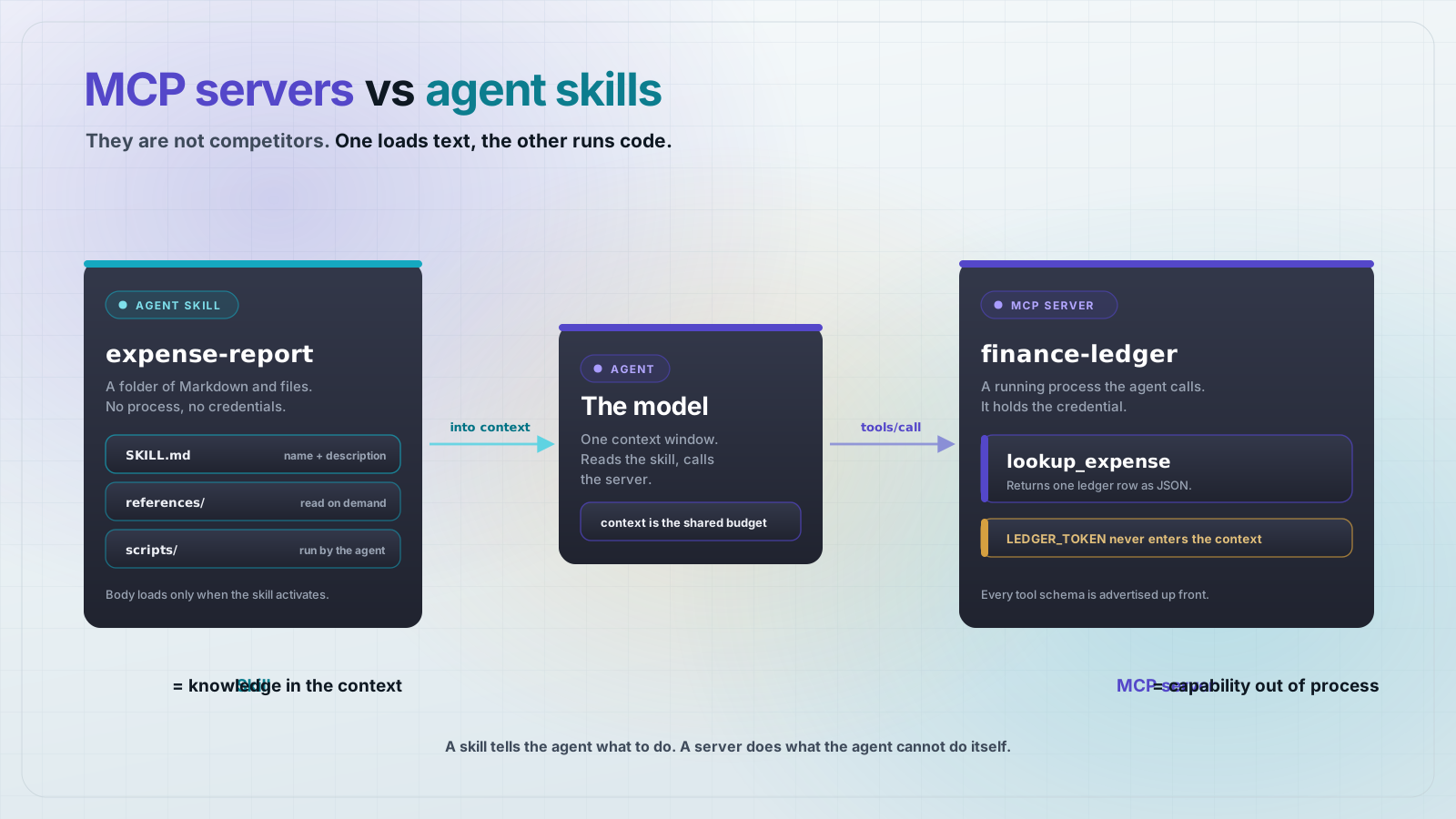
Agent skills and MCP servers are not competitors, and picking between them is mostly one question: does the capability need to run something, or does it only need to be known? A skill is a folder of instructions the model reads into its context. An MCP server is a separate process the model calls out to. Use a skill to change what the model knows. Use a server to change what it can do.
That split decides where a capability lives. Formatting rules, a review checklist, or a policy the model applies are knowledge, so they belong in a skill: no process, no port, no deployment. Querying a database, calling a paid API, or holding a credential are execution, so they belong in a Model Context Protocol (MCP) server. The two are designed to compose, and the shape most teams land on is a skill that documents how to drive their own server.
What is an agent skill?
A skill is a folder containing a SKILL.md file: YAML frontmatter plus a Markdown body. The frontmatter requires only name and description. name must be 1 to 64 characters, lowercase letters, numbers and hyphens, with no leading, trailing, or consecutive hyphens, and it must match the parent directory name. description must be 1 to 1024 characters and should say both what the skill does and when to use it, because that string is how the agent decides to activate it.
Four optional fields exist: license, compatibility (up to 500 characters, for environment requirements), metadata (a map of string keys to string values), and allowed-tools (a space-separated list of pre-approved tools, marked experimental). By convention the folder can also hold scripts/ for executable code, references/ for documentation the agent reads on demand, and assets/ for templates and data.
Here is the skill used for the rest of this post. It lives at .agents/skills/expense-report/SKILL.md, which is the directory VS Code scans by default.
---
name: expense-report
description: Write up a monthly expense report in the company format. Use when asked to file, write, or summarize an expense report, or to explain whether an expense is reimbursable.
license: Apache-2.0
compatibility: Requires the finance-ledger MCP server to be configured.
metadata:
  owner: finance-ops
  version: "1.0"
---

# Expense report format

Look up every expense ID with the `lookup_expense` tool from the `finance-ledger`
MCP server. Do not guess amounts, and do not read the ledger file directly.

## Policy

- `meals` under 2500 cents: reimbursable, no receipt needed.
- `travel`: reimbursable, receipt required over 25000 cents.
- `software`: needs a manager approval line in the report.

## Output

One Markdown table, columns in this order: ID, vendor, date, amount, verdict.
Render amounts as dollars with two decimals. Sort by date ascending.
End with a total line.
Skills have a reference validator, so this is checkable rather than a matter of taste. The skills-ref package version 0.1.5 checks the frontmatter and the naming rules:
$ npx skills-ref@0.1.5 validate ./.agents/skills/expense-report
Valid skill: ./.agents/skills/expense-report
Note what is absent. There is no runtime, no network protocol, and no server. The format defines files on disk and nothing else. Everything a skill does, the agent does on the agent's own machine.
What is an MCP server?
An MCP server is a process. It speaks JSON-RPC 2.0 to a client inside the host application, and it offers three things: tools (functions the model can execute), resources (data for the model or the user), and prompts (templated workflows). The client can offer three back: sampling, roots, and elicitation. The current specification revision is 2026-07-28.
This server exposes one tool over stdio. It reads a credential from the environment at startup and refuses to run without it, which is the part a skill cannot replicate.
import { McpServer } from "@modelcontextprotocol/server";
import { serveStdio } from "@modelcontextprotocol/server/stdio";
import { readFileSync } from "node:fs";
import { z } from "zod";

// A credential the model never sees. This is the line a skill cannot cross.
const LEDGER_TOKEN = process.env.LEDGER_TOKEN;
if (!LEDGER_TOKEN) {
  console.error("LEDGER_TOKEN is not set");
  process.exit(1);
}

serveStdio(() => {
  const server = new McpServer({ name: "finance-ledger", version: "1.0.0" });

  server.registerTool(
    "lookup_expense",
    {
      title: "Look up an expense",
      description: "Fetch one expense record from the finance ledger by its ID.",
      inputSchema: z.object({
        expense_id: z.string().describe("Expense ID, e.g. EXP-4417"),
      }),
    },
    async ({ expense_id }) => {
      const ledger = JSON.parse(
        readFileSync(new URL("./ledger.json", import.meta.url), "utf8"),
      );
      const row = ledger[expense_id];
      if (!row) {
        return {
          content: [{ type: "text", text: `No expense found for ${expense_id}` }],
          isError: true,
        };
      }
      return {
        content: [{ type: "text", text: JSON.stringify({ expense_id, ...row }) }],
      };
    },
  );

  return server;
});
Calling it with an MCP client returns real data, not instructions about data:
$ node call.js
tools: [ 'lookup_expense' ]
result: {"expense_id":"EXP-4418","vendor":"Delta","amount_cents":61250,"currency":"USD","date":"2026-08-15","category":"travel"}The decision rule
Four questions settle almost every case. If any answer in the first list is yes, you need a server, because a skill structurally cannot do it.
Use an MCP server when
- The capability has to execute something the model cannot do itself: query a database, call a paid API, move a file, trigger a deploy.
- A credential is involved and you do not want it sitting on every user's machine. A remote server keeps the secret on the server.
- One deployment has to serve several clients, users, or teams, and you want to fix a bug in one place.
- The answer changes at runtime. A tool result is fetched per call; skill text is fixed until someone edits the file.
- You want arguments validated before your code sees them. Every tool carries a JSON Schema for its input.
Use an agent skill when
- The work is procedure or judgment: house style, a review checklist, a policy to apply, the right order to do things in.
- The knowledge is stable enough to live in text, with reference files for the long tail.
- You want it to work with nothing running: no process, no port, no deploy step.
- You want it portable. The same folder works on any agent that reads the format.
- The real capability is knowing how and when to use tools the agent already has.
Can a skill hold a secret?
Not in its text, and this is the distinction most comparisons get wrong. A skill's Markdown is loaded into the model's context, so an API key written into SKILL.md is visible to the model and to anything that logs the conversation.
A bundled script is a partial exception worth being precise about. A script in scripts/ runs on the agent's host, so it can read an environment variable and use it without that value ever entering the context. What it cannot do is stop the credential from existing on every machine that runs the skill. A remote MCP server can: the secret lives on the server, no client ever holds it, and you can rotate or revoke it in one place. If your threat model cares about where the key sits rather than only about what the model sees, that is the deciding difference.
What each one costs you in context
Both consume context, but on different schedules, and the schedule is the point. Measured on the example above, the skill's startup cost is its name and description: 185 bytes. The full SKILL.md is 911 bytes and loads only when the skill activates. The server's tools/list response for its single tool is 335 bytes, and that is paid on every session, because the client has to know the tool exists before the model can call it.
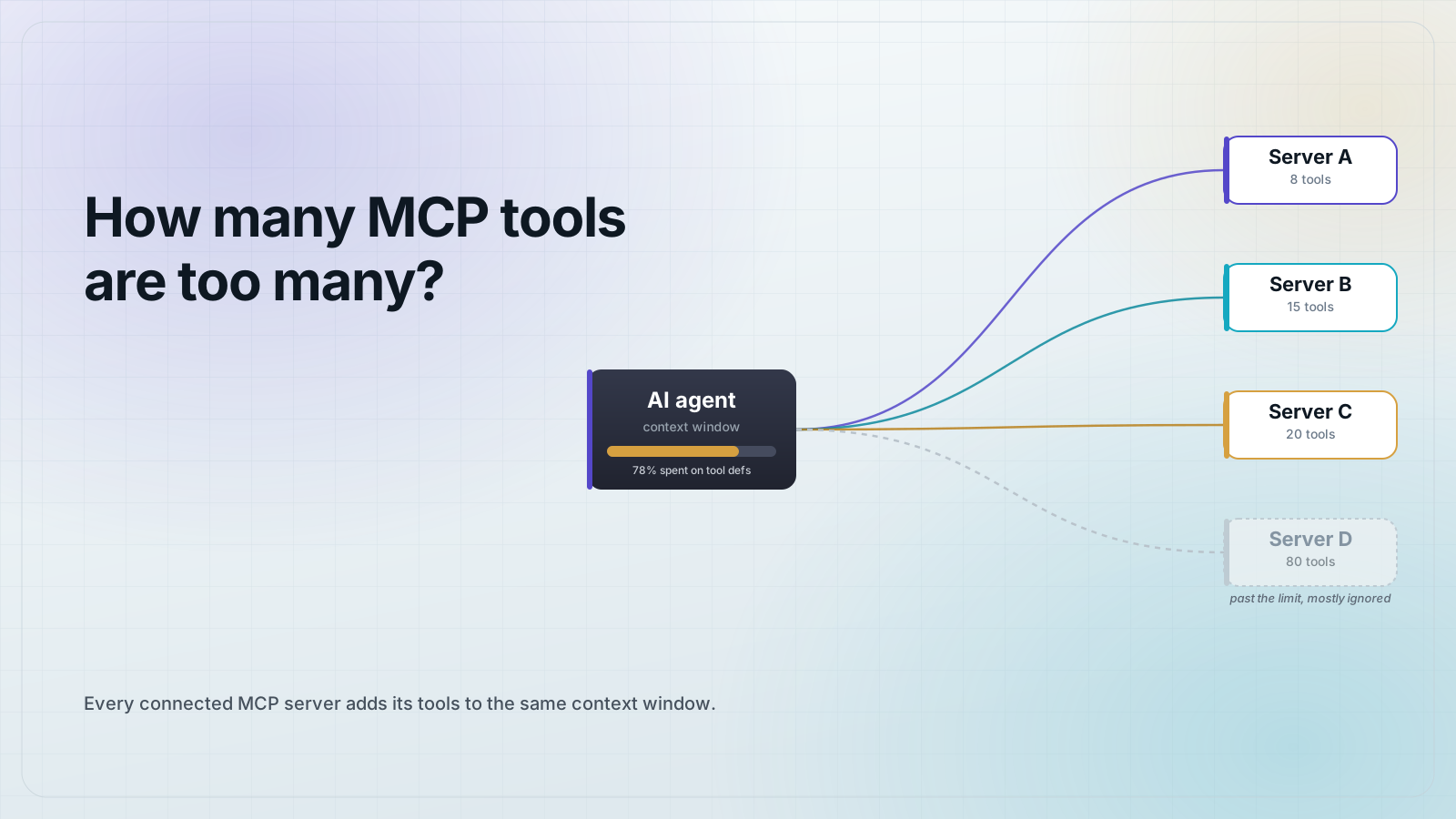
The absolute numbers are small and not the interesting part. The scaling is. A server's cost grows with tool count and schema size and is charged up front, which is why a server with forty tools is a real context problem. A skill's cost stays at roughly a description until something activates it, which is why a machine can carry many skills cheaply. Reach for a skill when you have a lot of situational knowledge, and keep server tool lists short.
The pattern you actually want: both
Look again at the skill above. Its body does not reimplement the ledger. It says to call lookup_expense on the finance-ledger server, not to guess amounts, and not to read the ledger file directly. Then it adds the part the server has no opinion about: which expenses need receipts, and what the finished table should look like.
That division is the useful one. The server owns access and correctness. The skill owns procedure and presentation. Neither duplicates the other, and you can change the reimbursement policy without redeploying the server.
A skill tells the agent what to do. A server does what the agent cannot do itself.
Frequently asked questions
Frequently asked questions
- Are agent skills replacing MCP servers?
- No. They solve different problems. Skills package instructions and files that load into a model's context; MCP servers are running processes that execute code and hold credentials. A skill cannot query your database, and a server cannot teach the model your formatting rules as cheaply.
- What is the difference between a skill and an MCP prompt?
- Both supply reusable text, but a prompt is served by a running MCP server over the protocol and is fetched at call time, while a skill is a folder on disk that any compatible agent reads directly with no server involved. Use a prompt when the text has to come from the same deployment as your tools; use a skill when you want it to work standalone.
- Can an agent skill call an MCP server?
- Yes, and it is a common pattern. The skill's body names the tool and tells the agent when to call it, and the agent invokes the server through its normal MCP client. The skill supplies the procedure and the server supplies the capability.
- What fields does SKILL.md actually require?
- Only
nameanddescription.namemust be 1 to 64 lowercase alphanumeric characters and hyphens, with no leading, trailing, or consecutive hyphens, and it must match the folder name.descriptionmust be 1 to 1024 characters.license,compatibility,metadata, andallowed-toolsare optional. - Which costs more context, a skill or an MCP server?
- A server, usually, because every tool's schema is advertised at startup whether or not the model uses it. A skill only loads its name and description until it activates. In the example in this post that was 335 bytes for a one-tool server against 185 bytes for the skill, and the gap widens with every extra tool.
- How do I check that my SKILL.md is valid?
- Run the reference validator:
npx skills-ref@0.1.5 validate ./path-to-skill. It checks the frontmatter fields and the naming rules and printsValid skillon success.
If you are already running MCP servers, the fastest way to make them usable is to keep each server's tool list short and write a skill that explains when to reach for it. MCPOrbit connects to a server and shows you the exact tool list a model would see, so you can tell whether it is short enough.
About the author
Mark
Head of Marketing, MCPOrbit
Mark leads marketing at MCPOrbit, the free desktop client for the Model Context Protocol. He writes the build-it and reliability guides, and the code in them is run before it ships.